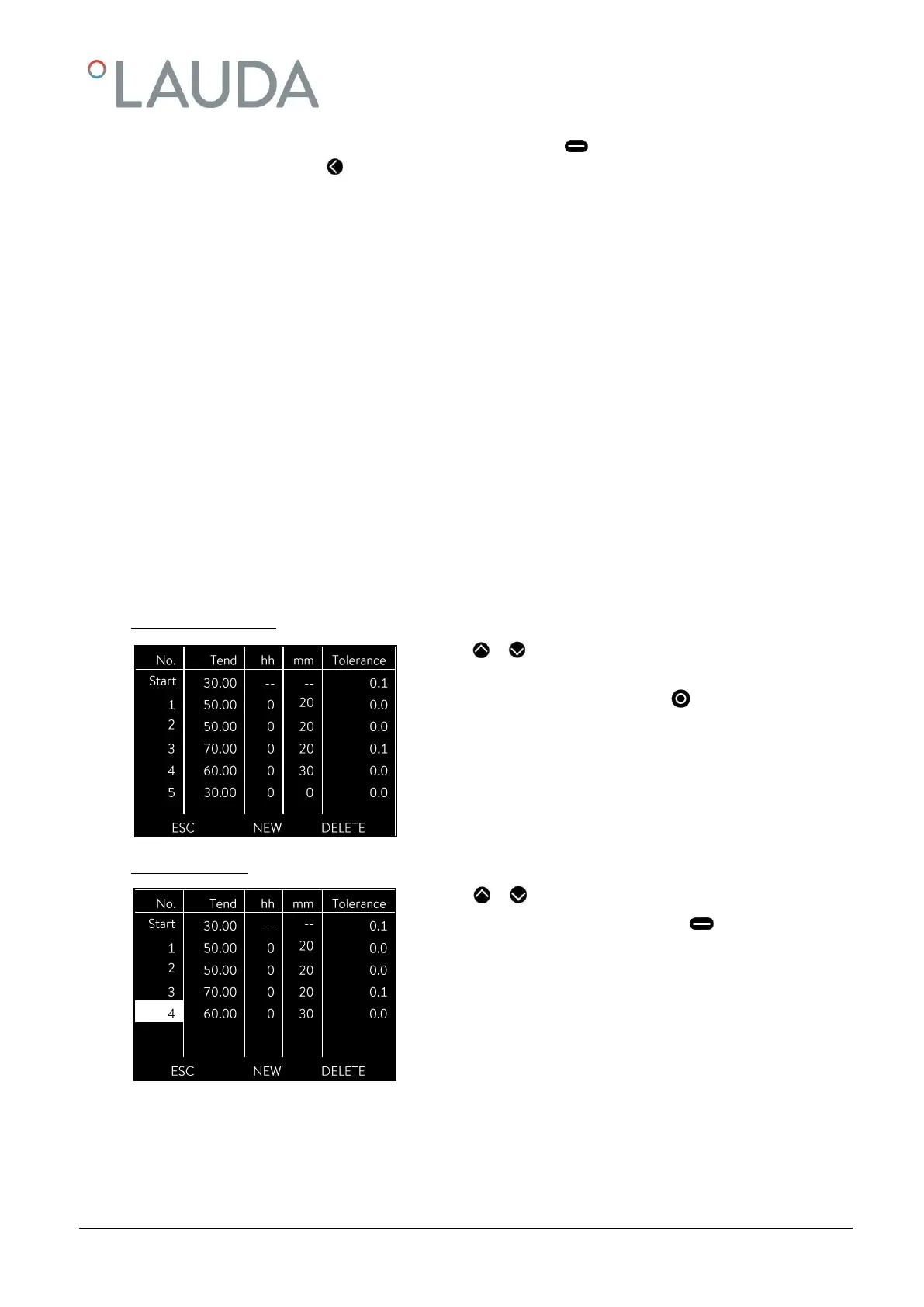
- You can quit the edit window at any time without changes using (ESC). When the cursor is located on a
segment number, using you return to the menu level of the programmer without changes.
Note: No time specification is possible in the start segment. The temperature of the first segment is attained as quickly as
possible in order to switch to segment 2 after reaching the set tolerance.
The programmer edit window contains the following parameters:
No.: Program segment number
Tend: Final temperature to be attained
hh: Time in hours (hh) in which the specified temperature is to be attained
mm: Time in minutes (mm) in which the specified temperature is to be attained
If the value "0" is entered in the fields "hh" and "mm", the set value is accepted immediately and
the bath temperature approached as quickly as possible.
Tolerance: Defines how exactly the final temperature is to be attained before the next segment it processed.
If the tolerance range is selected too small in the "Tolerance" field, the program might not continue,
because the required tolerance is not achieved.
Pump: Pump level at which the segment is to be processed.
S1, S2, S3: Switching contacts of the contact module (if present) can be programmed here.
Contact modules are available as accessories ( 9). The setting "- -" stands for no change to the preceding segment, i.e.
if "- -" is present in all fields, the contact setting of the start setup or that before the program start is retained.
- With or go to the segment number under which the new seg-
ment is to be inserted.
- A new segment is inserted on pressing (NEW). You can edit it as
described above.



 To Next Page