104 / 134 ECO Gold 09/2021
17.3 Starting the program
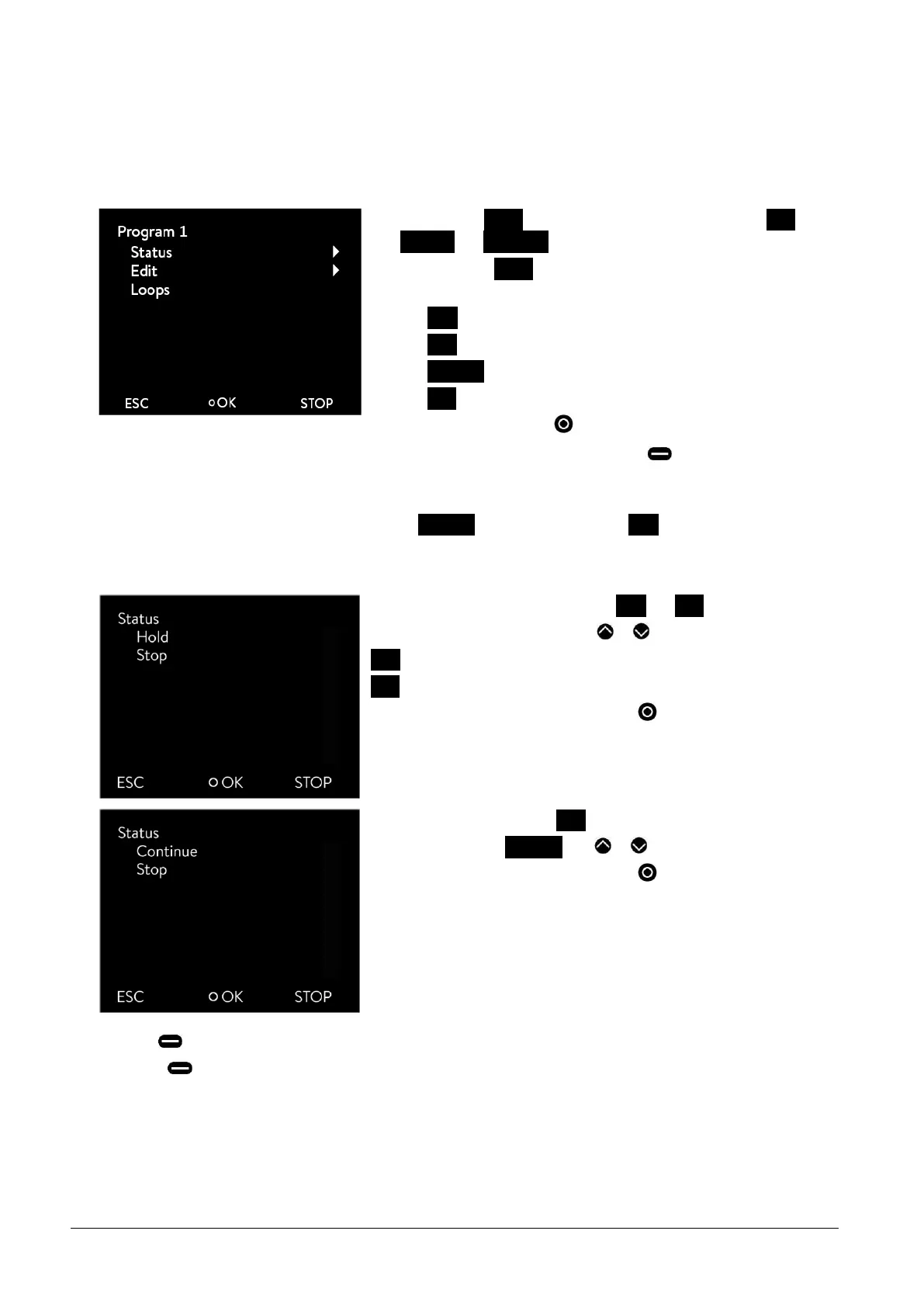
- The submenu Status appears by selecting and confirming Pro-
grammer Program 1.
- With the menu Status you can carry out the following with the com-
mands
Start Start program
Hold Hold program
Continue Continue program
Stop Terminate program
by pressing the enter key .
- You can also pause the programmer with (STOP). When
"Standby" is deactivated, the programmer continues running.
Instructions which cannot be executed due to the situation are not dis-
played. Continue therefore only appears if Hold has been activated.
17.4 Interrupting, continuing or terminating the program
After the program start the menu points Hold and Stop are displayed.
- The options can be selected with or .
Hold Interrupt program
Stop Terminate program
- Confirm your choice with the enter key .
To continue a program held by Hold
- Select the option Continue with or .
- Confirm your choice with the enter key .
- Also (Standby) holds the programmer. Pump, heating and chiller are switched off.
- When (Standby) is pressed again, the programmer returns to the previously selected operating mode (Hold or
active operation):



 To Next Page