09/2021 ECO Gold 113 / 134
Connection of analogue inputs and outputs
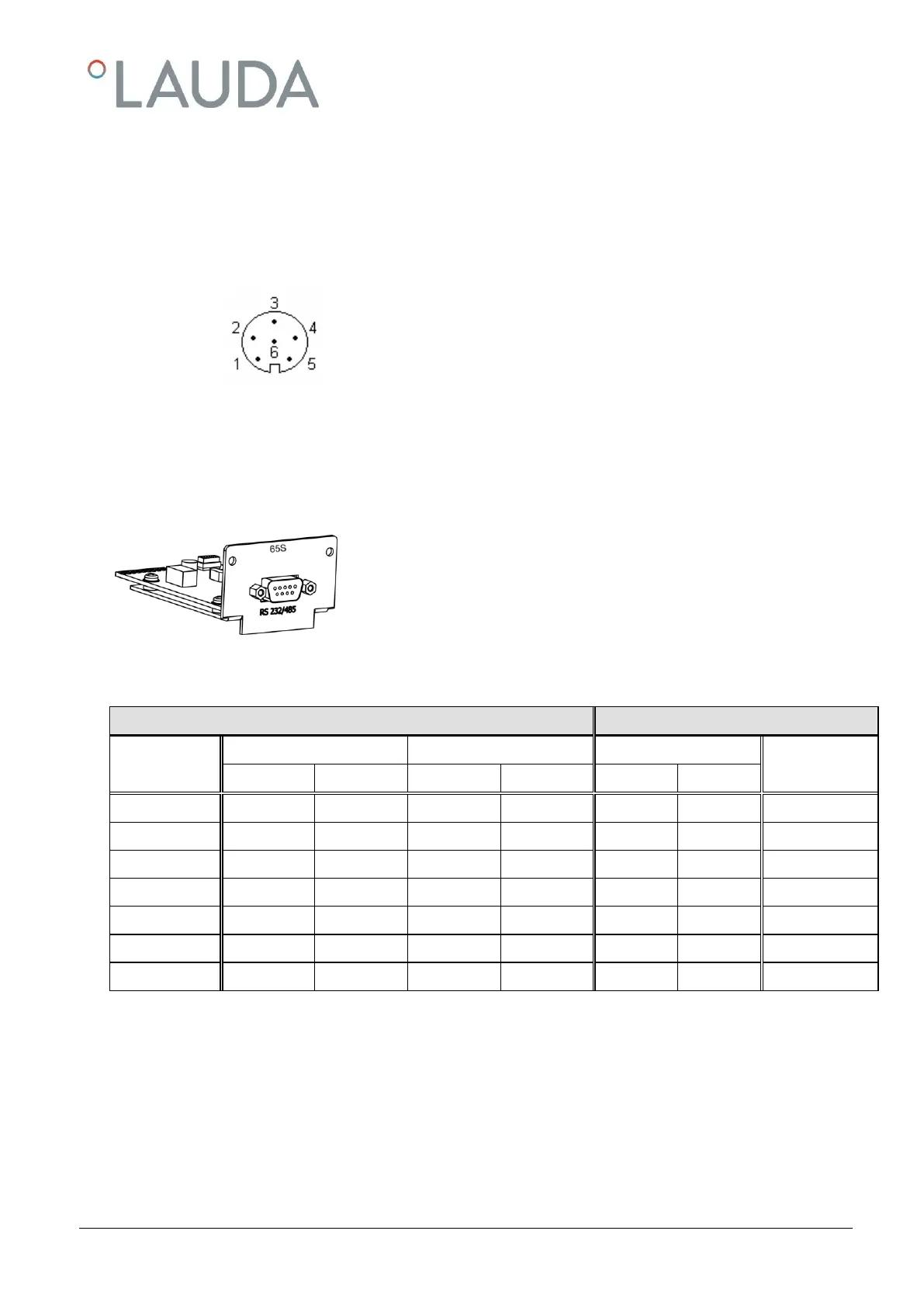
A six-pole round connector with screw lock and contact assignment according to DIN EN 60130-9 or IEC 130-9 are
required.
A suitable coupling plug is obtainable under the catalogue no. EQS 057.
View of socket (front) or solder side of plug:
Contact 1 Output 1
Contact 2 Output 2
Contact 3 0 V reference potential
Contact 4 Input 1
Contact 5 +20 V (max. 0.1 A)
Contact 6 Input 2
Note: Only use screened connecting leads and connect the screen to the plug housing.
19.3 RS 232/485 interface module
RS 232/485 Interface Module (LAUDA catalogue no. LRZ 913) with
nine-pole SUB-D socket. Electrically isolated using optocouplers. With the
LAUDA instruction set, extensively compatible to Ecoline, Proline and
Integral series.
The RS 232 interface can be connected directly to the PC with a 1:1 con-
nected cable (catalogue no. EKS 037, 2 m cable and EKS 057, 5 m cable).
19.3.1 Connecting lead and interface test RS 232
with hardware handshake: On connecting a thermostat to the PC use a 1:1 and not a null-modem cable.
without hardware handshake: Set the operating mode on the PC "without hardware handshake".
Use screened leads and connect screen to plug case.
The wires are electrically isolated from the rest of the electronics.
Non-assigned pins should not be connected.
The RS 232 interface can be checked in a simple way with a connected PC running Microsoft Windows operating sys-
tem. With Windows
®
95/98/NT/XP using the program "HyperTerminal".



 To Next Page