- Access to the main menu level is obtained by pressing the enter key
.
- Selection and confirmation of Setup Control
Control parameter Intern Pt100.
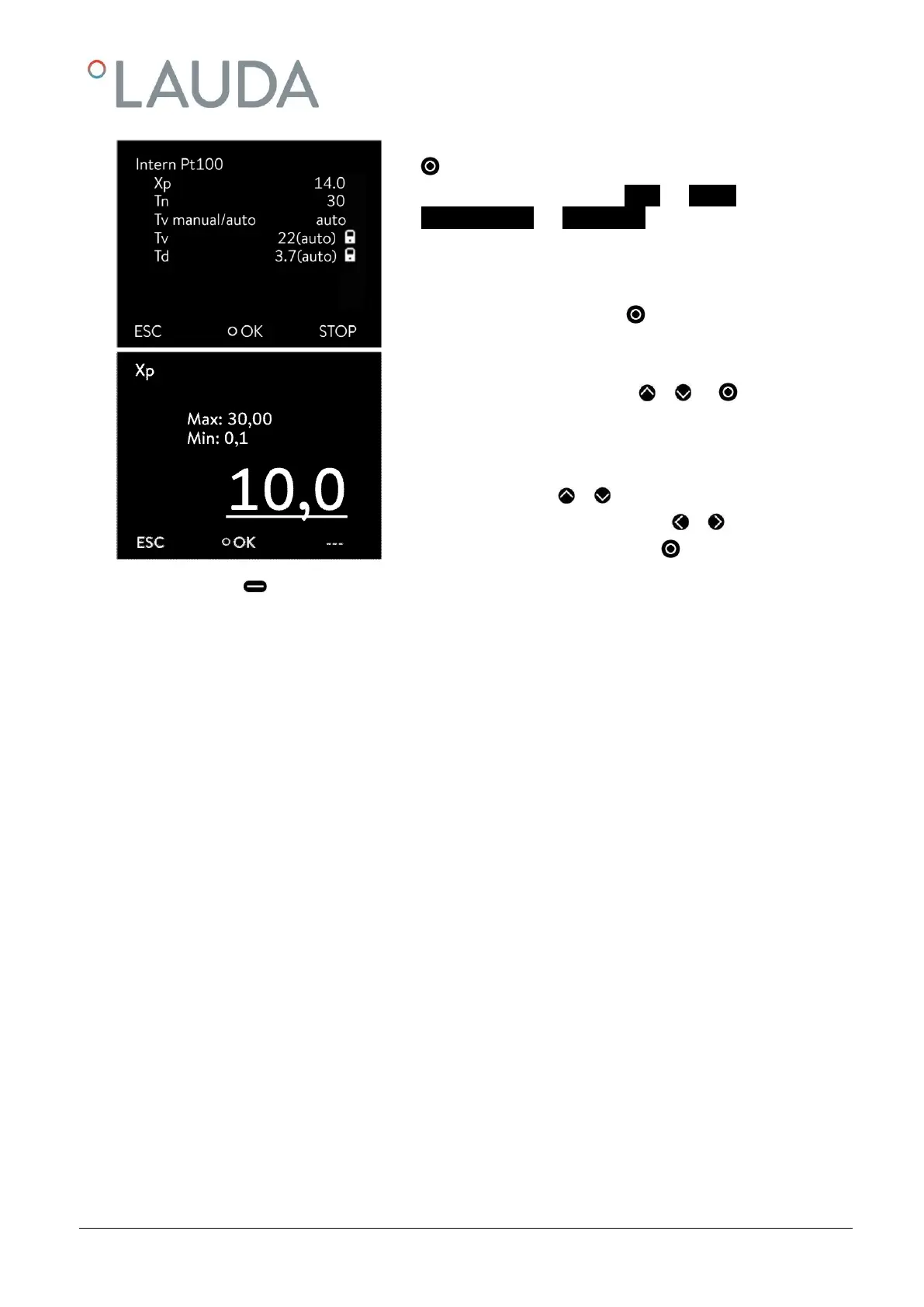
The adjacent menu window appears. Apart from the control parameters
the currently set values are displayed.
- Under the menu point "Tv manual/auto" you can select between
manual and automatic entry using .
The selection "automatic" is displayed in the menu line by (auto). If "au-
tomatic" is selected, the entry is blocked for the parameters Tv and Td.
- Select and confirm parameters with or and .
The appropriate edit window appears with Min and Max figures for the
parameter values Xp, Tn, Tv and Td.
- Change the value with or .
- Single figures can be selected by pressing or .
- Confirm your choice with the enter key .



 To Next Page