6. Power options
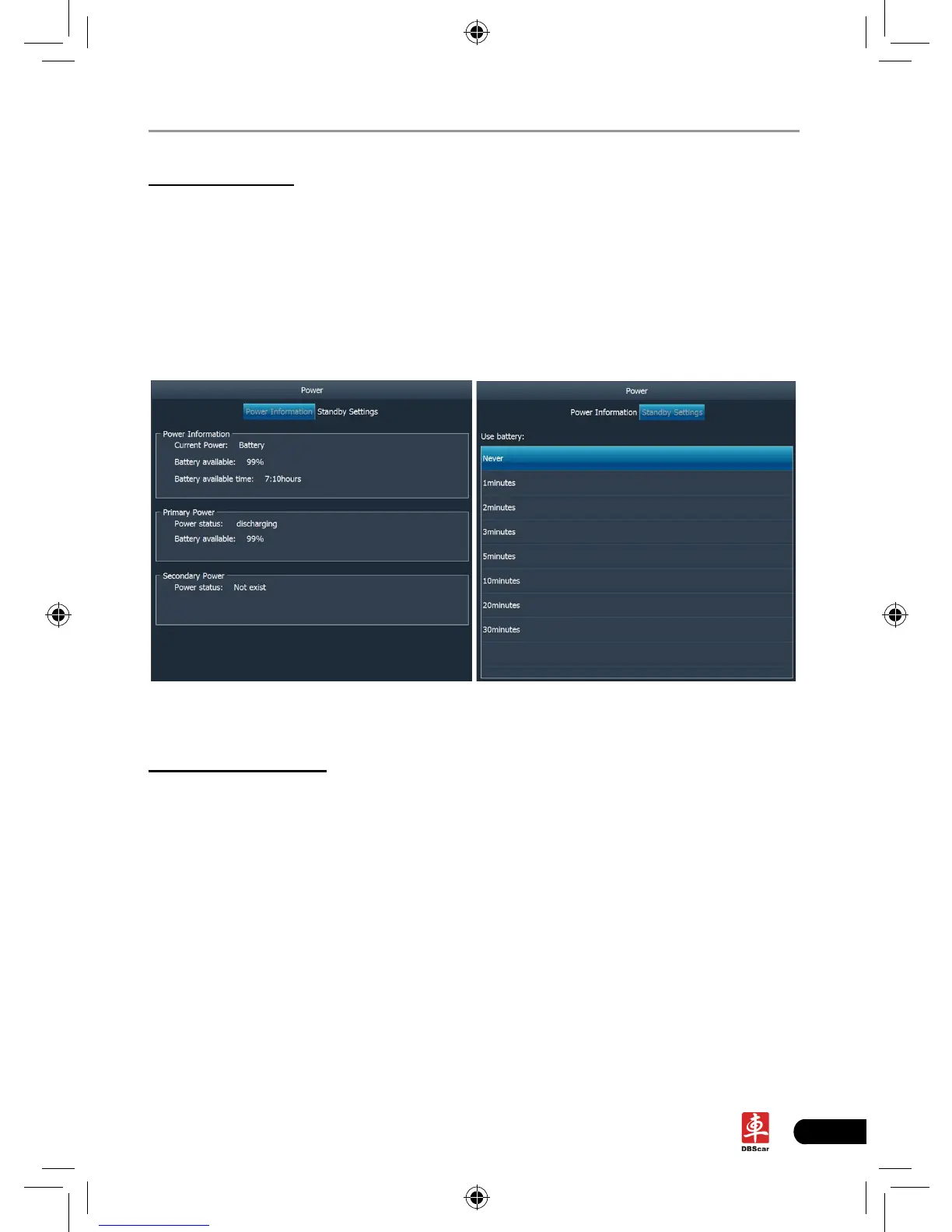
This item enables you to have a general knowledge of current power information
and set standby time.
Click “Power”, a screen similar to Fig. 2-15 will appear.
Click “Standby Settings”, the system will enter Fig. 2-16. Click the arrow and
choose the desired standby time from the pull-down list. If X-431 PAD is only
powered by battery, you can use this option to save power and prolong the life of
your battery.
Fig. 2-15 Fig. 2-16
7. Screen calibration
This option lets you calibrate the touch screen.
Click “Screen calibration”, “Please click the button to calibrate the touch screen”
will be displayed on the screen. Click the button to enter screen calibration
interface.














 To Next Page