N N #F #F #I #I
0 5
N N #F #F #I #I
EP configuration examples
meaning of each
configuraTor socKeT pin
NN: the number for the main EP, the
number range is from 1 to 80, which
means that the maximum main EP in
riser is 80 (default value: 1).
#FF: typical floors per riser.
#II: typical number of handsets per floor.
poSition Mode 1 Mode 2
N
NN Mode 2= Mode 1
N
#FF is 20 (default).
No need for conguration
#FF
(use EP keyboard cong or 323020 download cong)
#II is 4 (default).
No need for conguration
(use EP keyboard cong or 323020 download cong)
Example (A):
EP address is 5, each riser has 20
floors, and each floor has 4 handset:
system configuration Mode 1 is used.
The Switchboard directly connected
to the main EP is no. 2, main EP
configuration should be as follows:
C 2 This position can use the EP keyboard or the conguration tool for the conguration.
poSition Value for configurator reMarkS
N 0 0
N 5
#F
#FF is 20(default).
No need for conguration
#F
#I
#II is 4(default).
No need for conguration
#I
A
322010
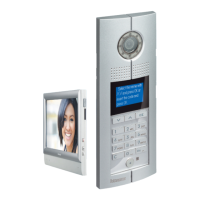
digiTal enTrance panel
configuraTion
Possible EP configuration modes
Mode 1 Mode 2
Resistor conguration √ √
Keyboard conguration √ √
RS232 conguration √ √
Note: the other configuration position C is for
setting the Switchboard address number that will
communicate with the EP directly. The configuration
position C can only be configured using the EP
keyboard or the configuration tool software.
(C default value: 0; this means that the Switchboard
that will communicate with the EP is No.0).
43
GUIDED45 SyStEm
WWW.LEGRAND.COM


 To Next Page