10.6 Post-ight Procedures
Recommended post-ight procedure
•
Visual inspecton of the BLK2FLY
•
In case the unit got damp, ensure to take it out of the transportation case
as soon as possible to dry
•
Charge batteries again
•
Connect the BLK2FLY to a computing device using WLAN or the USB‑C type
cable
•
Upload data to HxDR in the BLK2FLY Live app under Settings > Prole
Connect BLK2FLY to USB-C Cable for data download
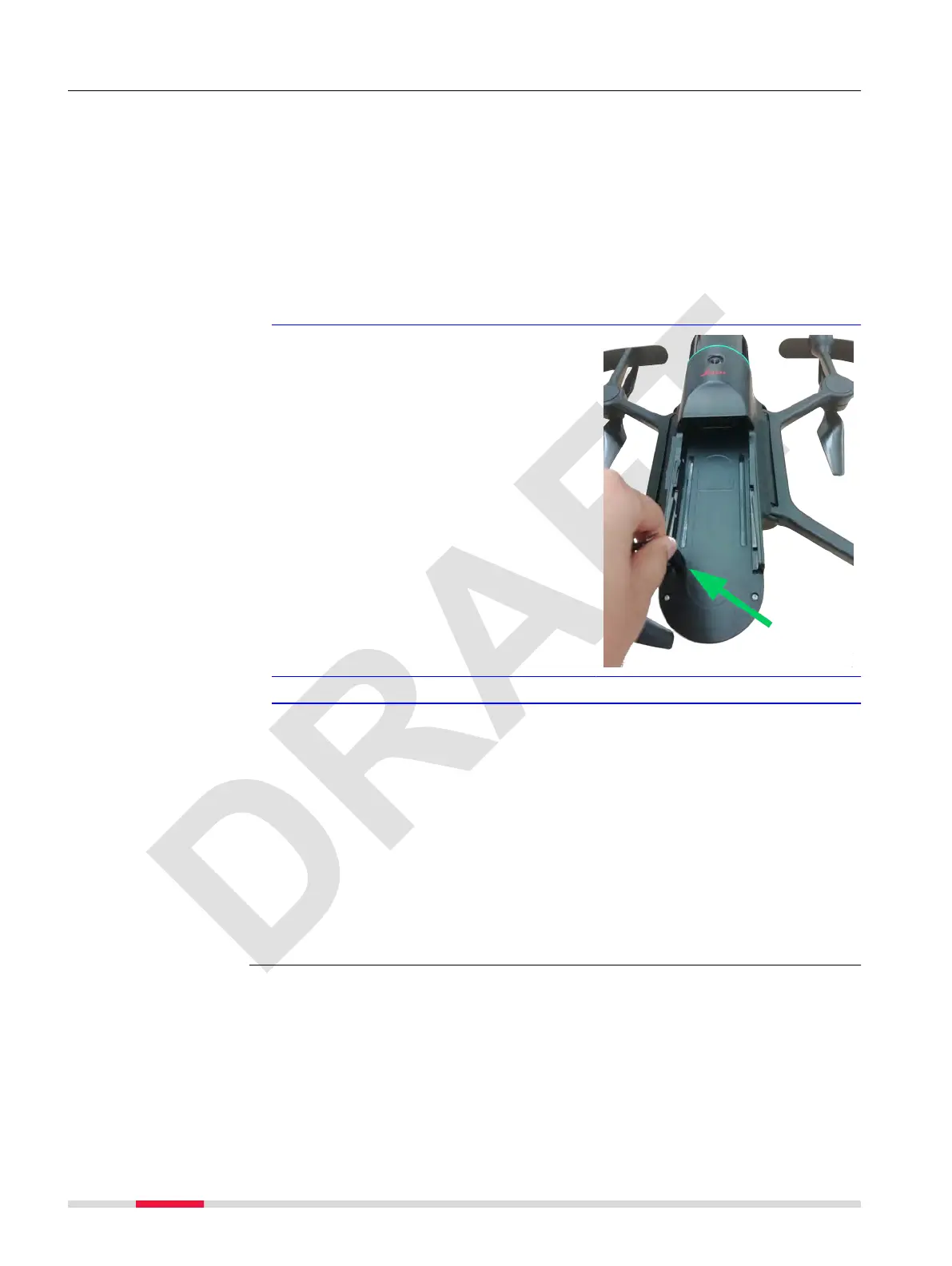
1. Remove the Smart Battery GEB374 to get access to the USB‑C port.
2. Connect the included USB‑C
cable to the BLK2FLY.
3. Connect the BLK2FLY to the computer.
☞
The BLK2FLY boots up automatically. It is then visible for:
•
Leica Cyclone REGISTER 360
•
Leica Cyclone REGISTER 360 (BLK Edition)
•
Leica Cyclone BLK Data Manager
In case an issue needs to be reported to Leica support, go to the Support
menu to upload logs. Refer to 7.6.8 Support Screen for details.
Post processing software
•
Leica Cyclone REGISTER 360
•
Leica Cyclone REGISTER 360 (BLK Edition)
•
HxDR
•
Leica Cyclone BLK Data Manager
100 Operation



 To Next Page