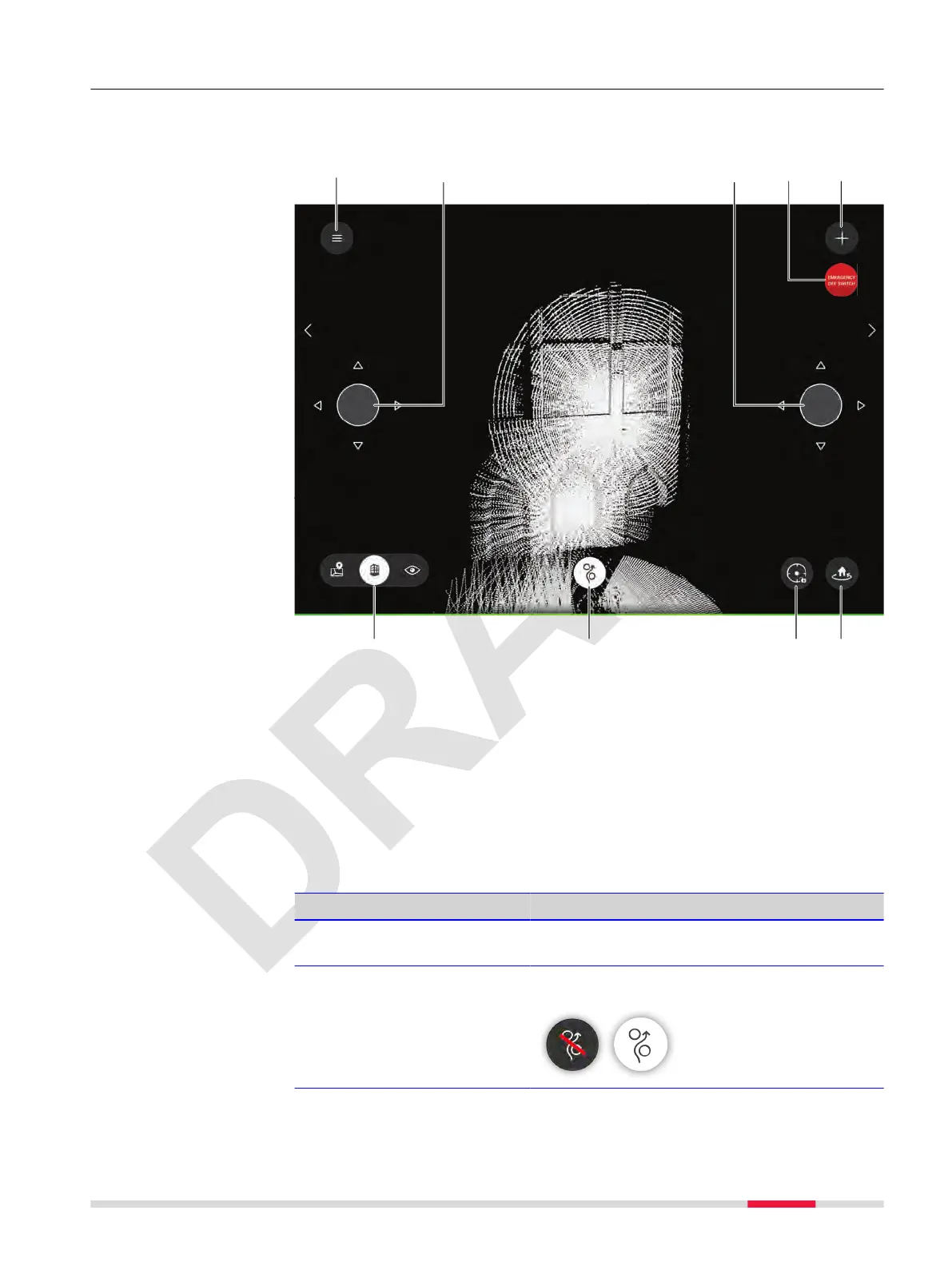
7.6.2 3D View Screen
This screen shows a visualisation of the onboard map in real-time. This voxel-
ized map does not represent the current data being captured.
a
d
23386_001
23374_002_en
b
gf he
c
b
a Hamburger menu. Refer to 7.6 Hamburger Menu for details
b
Virtual joysticks
c Emergency off switch
d Tap to open the ADD A NEW SCAN menu
e Toggle between Map View, 3D View and Live View
f Obstacle avoidance button
g Centre button
h Tap to return to launch. Return behaviour can be dened under Settings
→ Flight → Return behaviour. Refer to 7.6.7.4 Flight Screen for details
2)
Description of the keys
Menu Description
Virtual joysticks Appear when touching the vertical centre at
the very left/right edge of the screen.
Obstacle avoidance Obstacle avoidance can be turned off. A
warning appears before nally turned off.
Description
2)
By holding the button for 2 sec, it is possible to dene the return behavior
manually.
Description of the Application, Mission Planning 49



 To Next Page