4 Product Overview
4.1 BLK2FLY Hardware
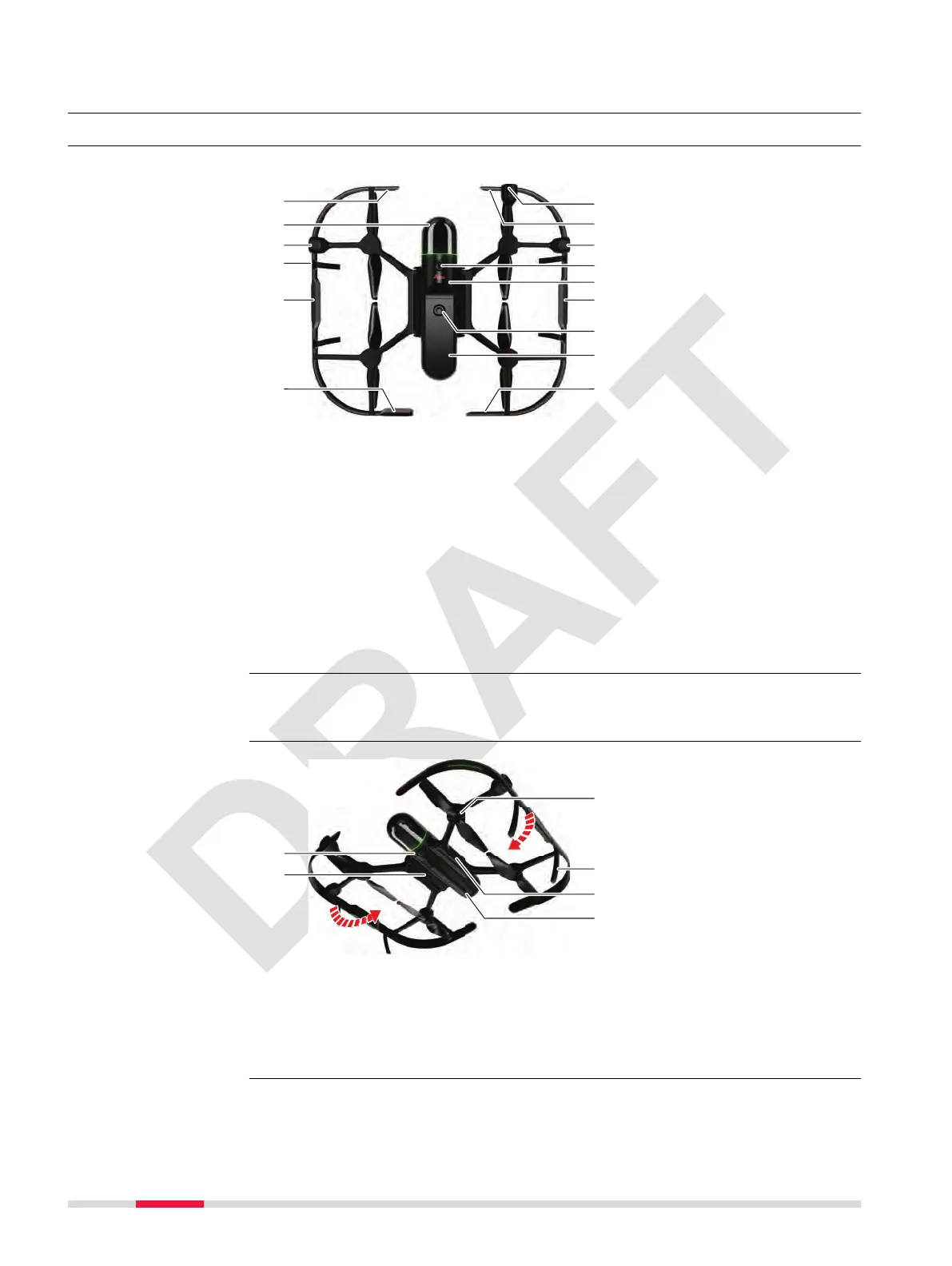
Main components of the BLK2FLY hardware
a LTE antenna: Diversity
b
3D LiDAR: Mapping, obstacle avoidance
c Side camera: SLAM, mapping, user Live View
d WLAN antenna
e Side radar: Side obstacle perception
f Rear radar: Rear obstacle perception
g Front camera: SLAM, mapping, user Live View
h Top camera: SLAM, mapping, user Live View
i GNSS antenna
j Power: ON. To turn the BLK2FLY off, remove battery
k Battery: Smart Battery GEB374, hot-swap (< 10 s)
l LTE antenna: Main
The BLK2FLY is switched on. Swap a used battery against a charged battery
within < 10 s without the need of rebooting the BLK2FLY.
a Bottom camera: SLAM, mapping, user Live View
b
Folding joint: Compact transportation
c
Motor and 10″ propeller: Producing lift
d
Landing gear, 4 ×
e Time-of-Flight sensor: Distance to ground
Top view
Hot-swap
Bottom view
20 Product Overview



 To Next Page