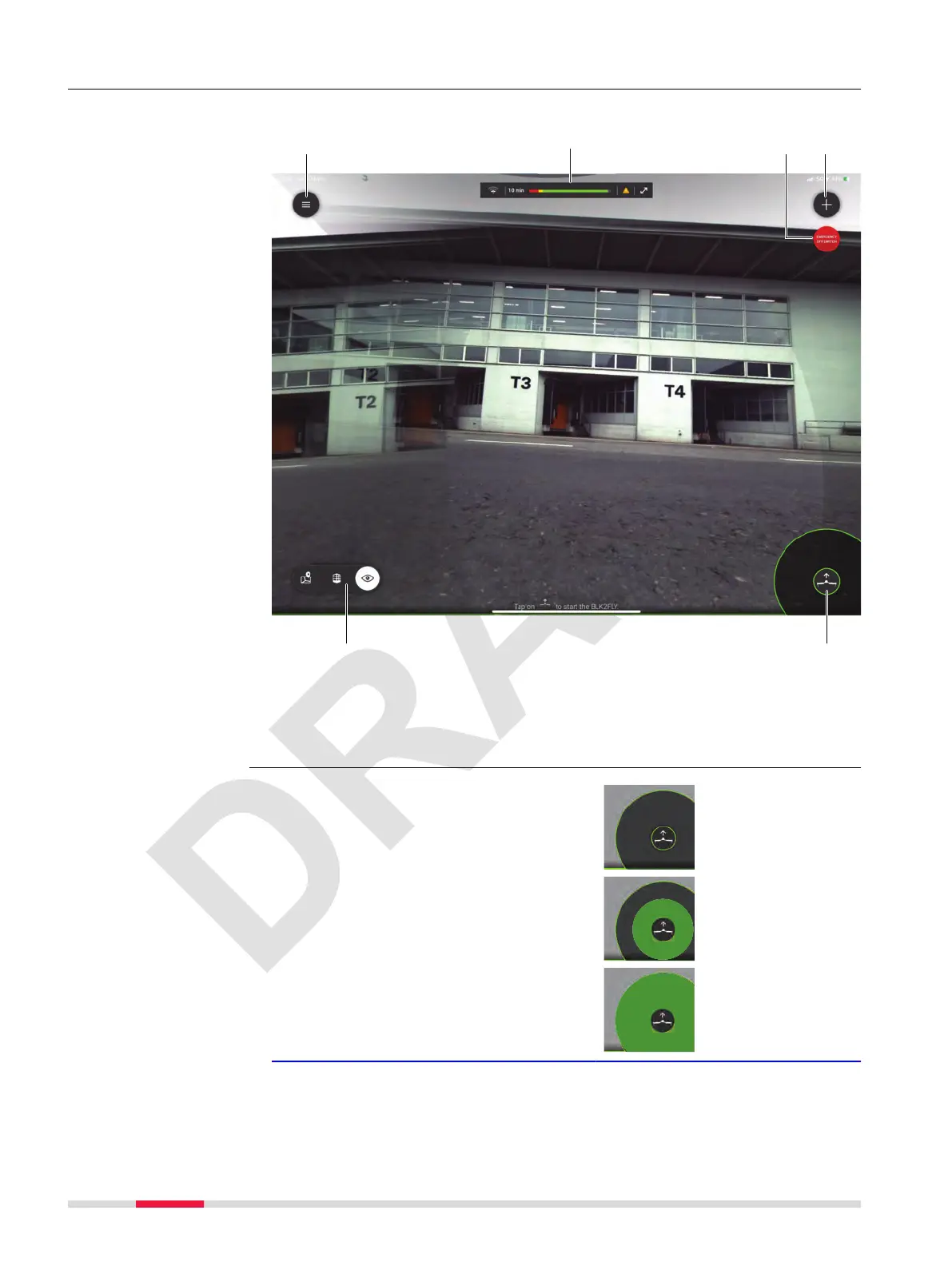
7.7.1 Manual Recording
This menu is used to manually operate/y the BLK2FLY for recording.
a Hamburger menu. Refer to 7.6
Hamburger Menu for details
b
Status bar. Refer to 7.4 Status
Bar for details.
c Emergency off switch
d Add a new scan
e Switch between different views
f Take-off button
1. Tap/hold the take-off button for
> 3 s.
☞
The BLK2FLY starts
and hovers at 1 m
Overview
Manual Recording,
step-by-step
76 Description of the Application, Mission Planning



 To Next Page