CS10/CS15 & GS Sensors, Operation
41
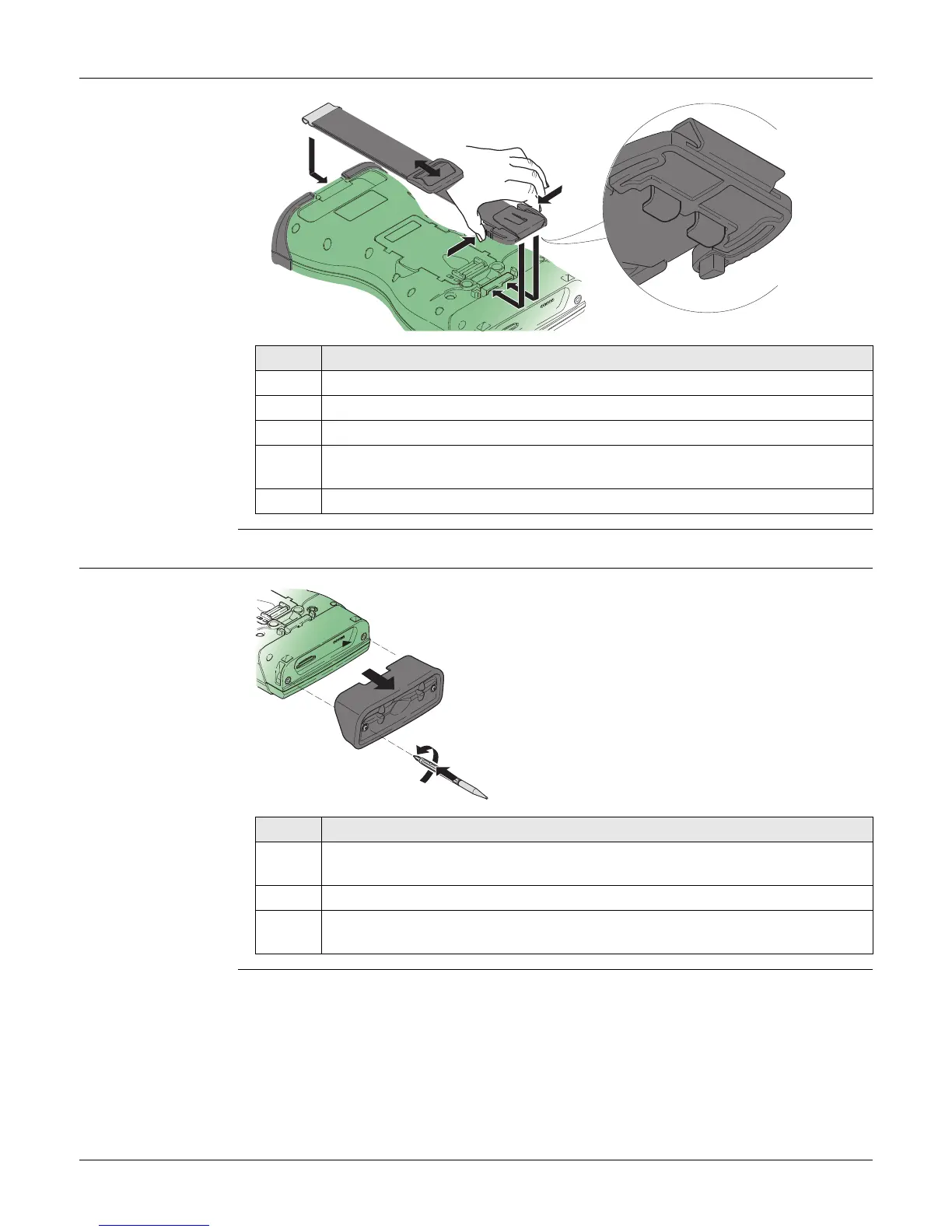
4.1.7 Fixing a Hand Strap to the CS
Fixing the CS to a
hand strap
step-by-step
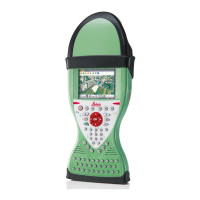
4.1.8 Fixing the Slot Cover to the CS
Fixing the slot cover
to the CS
step-by-step
Step Description
Turn the CS field controller over.
1. Take the end of the hand strap and clip it to the base of CS field controller.
2. Compress the clips of the main hook.
3. Lower the main hook onto the pivot knob of the CS field controller. A click
can be felt when the clip is secure.
4. Adjust the length of the hand strap.
0012602_001
1
2
4
3
Step Description
1. Press the screwdriver end of the supplied stylus on the quarter-turn screws
and loosen them.
2. Remove the slot cover.
Reattach the slot cover with the stylus, making sure the quarter-turn screws
are seated.
2
1
0012603_001



 To Next Page