CS10/CS15 & GS Sensors, Operation
48
Insert and remove
the battery on the
GS08plus/GS12
step-by-step
4.3.3 Charging the Battery
Charge battery
step-by-step
Charge battery for
GS08plus/GS12
To charge the batteries for GS08plus/GS12, use the Leica Geosystems chargers GKL311
or GKL341. Refer to the GKL311 or GKL341 User Manual for further information.
Step Description
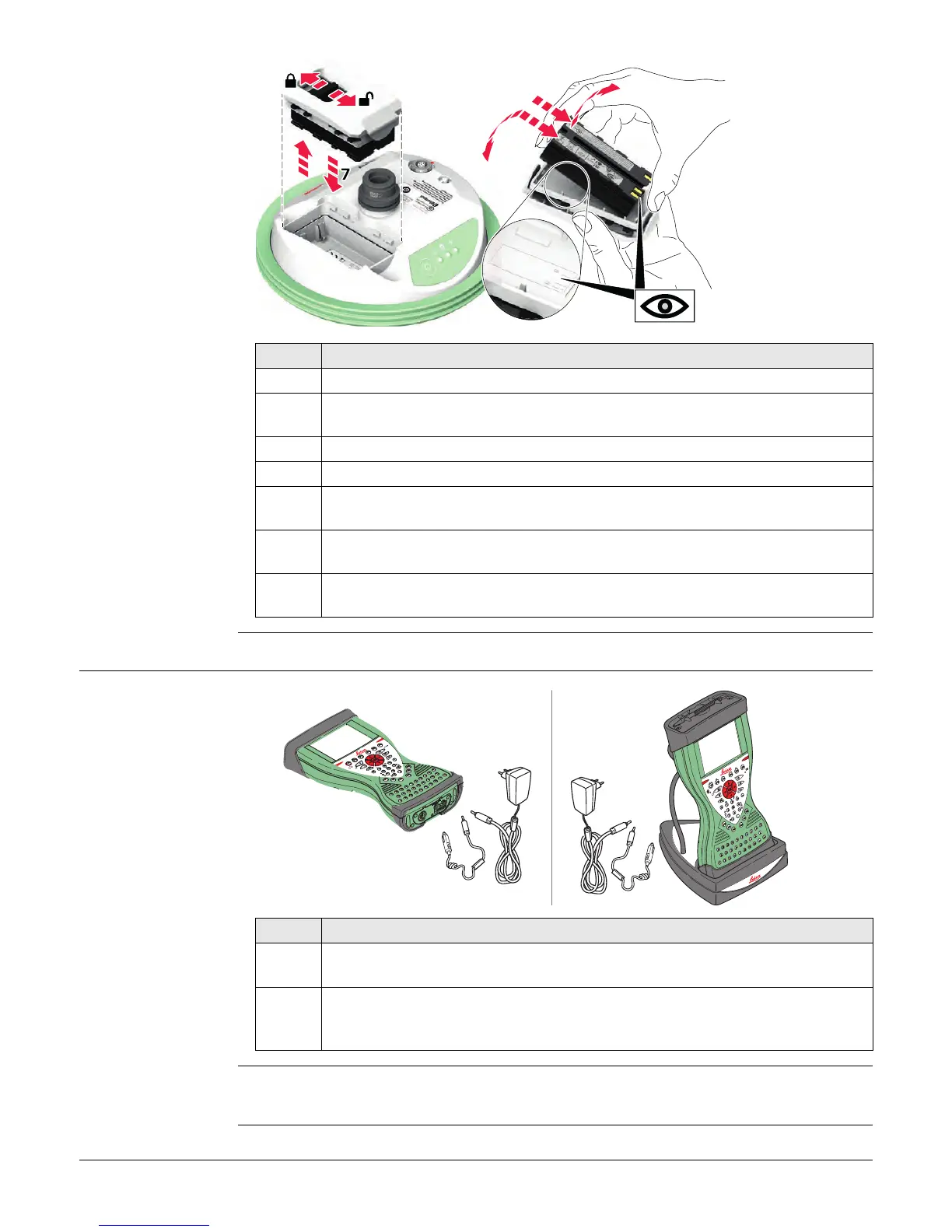
1. Turn GS08plus/GS12 over to gain access to the battery compartment.
2. Open the battery compartment by pushing the slide fastener in the direction
of the arrow with the open-lock symbol.
3. Pull out the battery housing. The battery is attached to the housing.
4. Hold the battery housing and pull the battery from the battery housing.
5. A polarity of the battery is displayed inside the battery housing. This is a
visual aid to assist in placing the battery correctly.
6. Place the battery onto the battery housing, ensuring that the contacts are
facing outward. Click the battery into position.
7. Close the battery compartment by pushing the slide fastener in the direction
of the arrow with the close-lock symbol.
005013_001
2
3
4a
4b
6a
6c
8
6b
Step Description
1. Connect the GEV235 power adapter or GDC221 car adapter with the CS field
controller (A) or the docking station (B) and an A/C plug.
2. The power LED on the CS field controller switches on. When CS field
controller’s battery is fully charged the LED switches off again.
Refer to "LED indicators" for information about the power LED.
AB
CS_024



 To Next Page