12
REC
This function stores the minimum, maximum and average
values of all displayed parameters. The clock shows the
elapsed time in hours and minutes HH : MM since starting
the REC function when displaying ‘Average’ and ‘Now’
values and gives a time stamp for when the ‘MIN’ and
‘MAX’ values occurred. The time stamp refers to the main
first parameter on the display. If the real time has been set
in the LOG/SET TIME menu then the clock displays the
real time.
SAVE Mode
This function allows the capture of up to 8 screens which
can be either waveforms or numerical data. For the 2060
both waveform and harmonics screens are captured
simultaneously in one memory location. Pressing the
SAVE mode key brings up the following text on the
screen:
SAVE RECOVER CLEAR
1 2 3 4 5 6 7 8
Use the key to move the cursor and the
key to select either SAVE, RECOVER or
CLEAR. Repeat this process to select one of the SAVE
locations from 1 to 8.
The whole screen is saved in the selected location and
can be recovered at a later date - even after the
instrument has been powered off. A second press of the
SAVE key returns the instrument back to the normal mode
of operation.
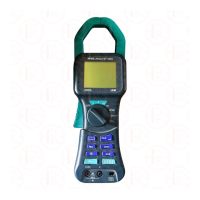
3.2 Voltage measurement of RMS or DC Voltage
• Move the rotary switch to the V position.
• Insert the test leads into the sockets on the
front of the instrument. Connect the red lead to the
V terminal, and the black lead to the COM terminal.
• Apply the test leads to the circuit under test
and read the displayed voltage. See Fig. 2.
• Use the key to change the parameters
displayed.
Screen 1 = V RMS (AC + DC) VDC
Screen 2 (2050) = V RMS,V Av,V Pk,V CF,V Hz
Screen 2 (2060) = V RMS,V Av,V Pk,V CF,V Rpl
• Use the HOLD key to freeze the display.
• Use the key to display the waveform of the
voltage and the key to change the timebase.
• Use the key to display the harmonic content
of the voltage and the key to select individual
harmonics (2060 only)
• Use the 8888 key to return to the digital display.
SAFETY WARNING
To avoid possible electric shock and damage
to the instrument, do not attempt to measure
any voltage that might exceed the maximum
range of the instrument - 600Vrms and 1kHz


 To Next Page