Page 10
8.3 - Headphones Volume and Tonguetip Stimulation Controls
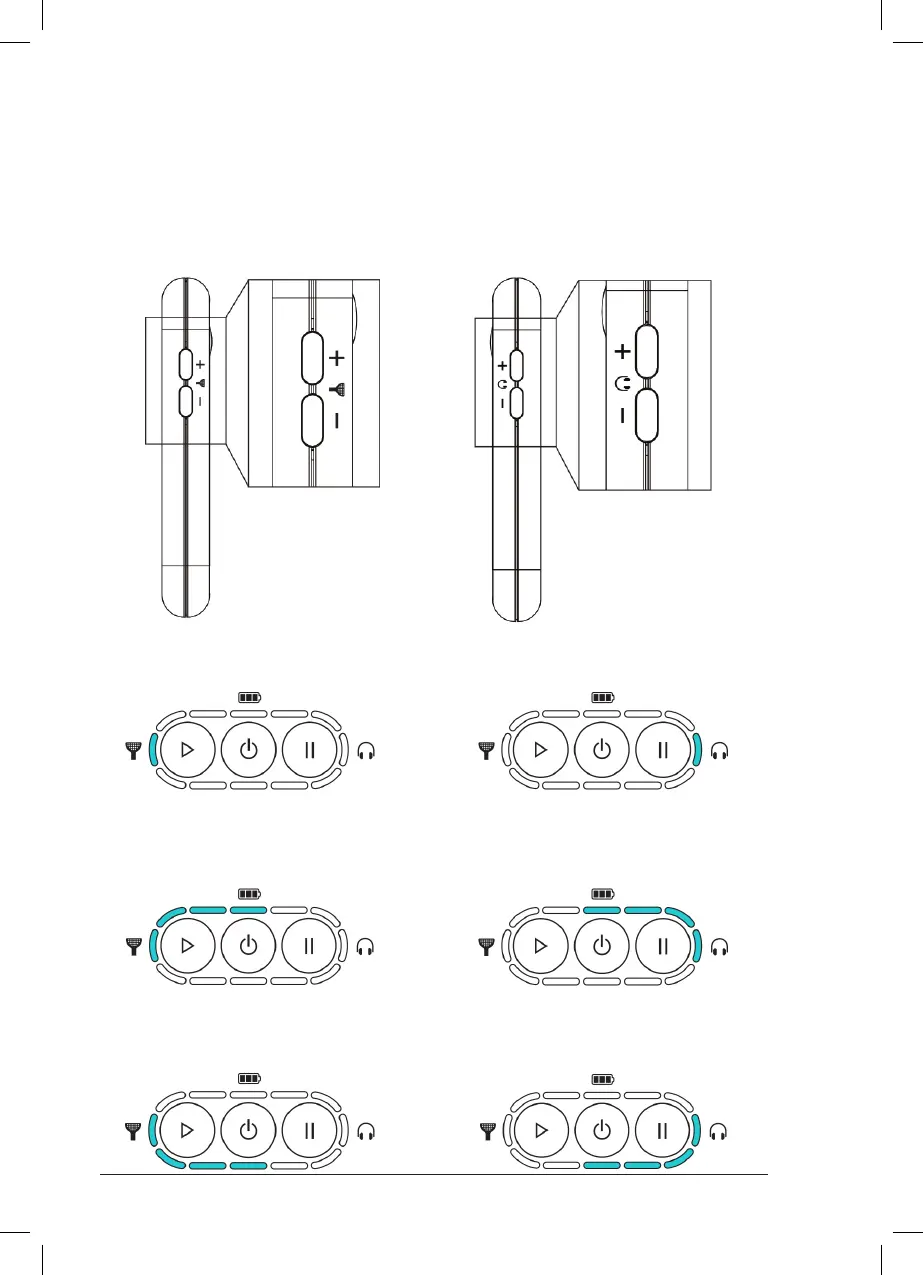
Headphones Volume Control
The Headphones volume can be adjusted to
a comfortable level by pressing the buttons
indicated below. Please see Chapter 13.3 for
guidelines on setting the volume level.
Indication of default (optimum) Tonguetip
stimulation intensity
Indication of default (optimum)
Headphones volume level
Indication of maximum Tonguetip
stimulation intensity
Indication of maximum
Headphones volume level
Indication of minimum Tonguetip
stimulation intensity
Indication of minimum
Headphones volume level
Tonguetip Stimulation Control
The Tonguetip stimulation intensity can be
adjusted to a comfortable level by pressing the
buttons indicated below. Please see Chapter
13.3 for guidelines on setting the stimulation
intensity.



 To Next Page