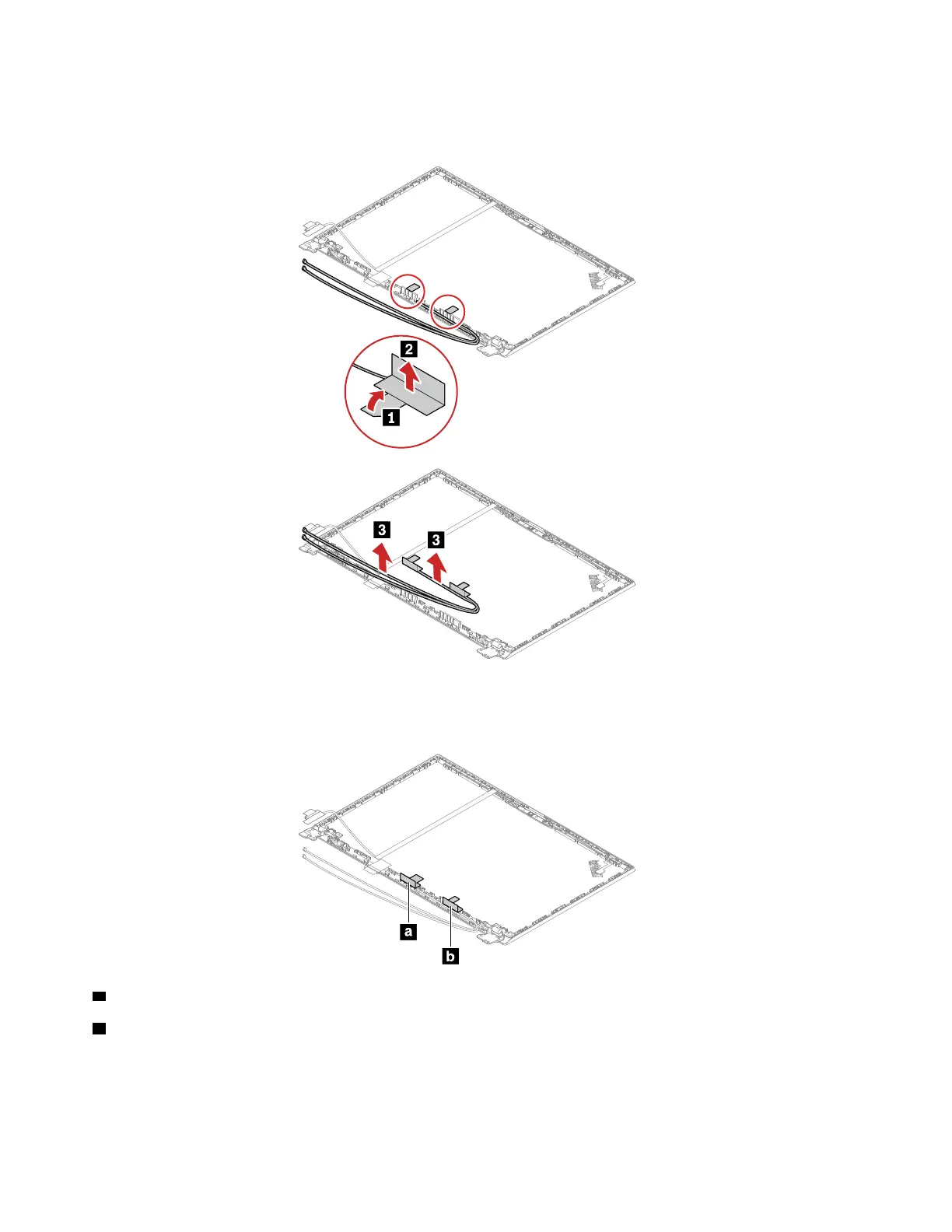
Removal steps of the Wireless LAN antennas assembly and the LCD rear cover assembly
Release the wireless LAN antennas assembly from the tabs as shown.
Remove the wireless LAN antennas assembly from the LCD rear cover assembly.
Antenna locations
a Wireless LAN auxiliary antenna (black)
b Wireless LAN main antenna (gray)
Attention: When you route the cables, ensure that they are not subject to any tension. Tension could cause
the cables to be damaged by the cable guides, or a wire to be broken.
102
E14/R14/E15/S3 Gen 2 Hardware Maintenance Manual















 To Next Page