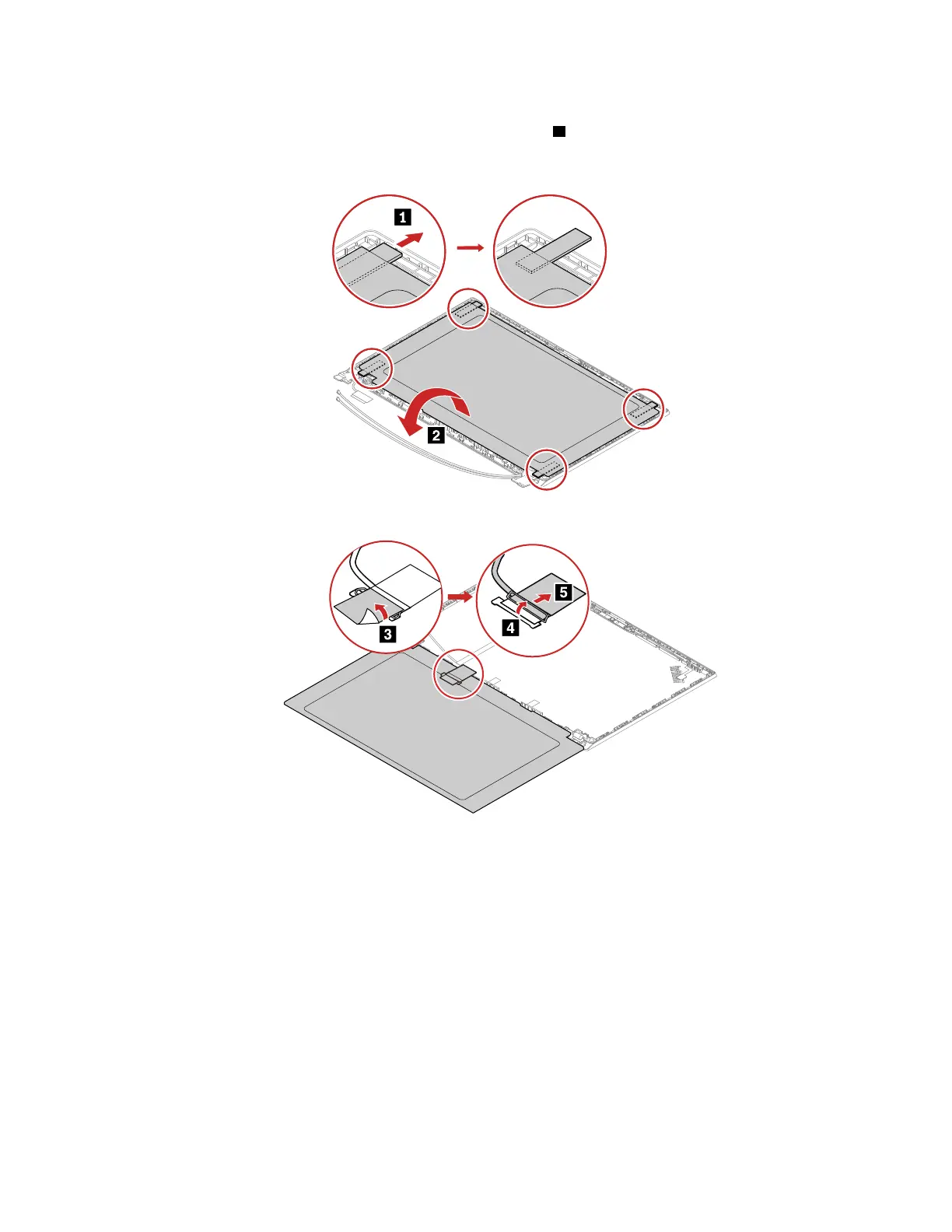
1. Grasp the ends of four elastic adhesive tapes with tweezers. Pull out each tape slowly in the direction as
shown until four elastic tapes are all released from LCD unit
1 . Then, Turn over the LCD panel.
Note: Do not pull the tapes too fast, otherwise, the tapes might snap.
2. Detach the LCD cable from the LCD panel as shown.
Chapter 8. Removing or replacing a FRU 93















 To Next Page