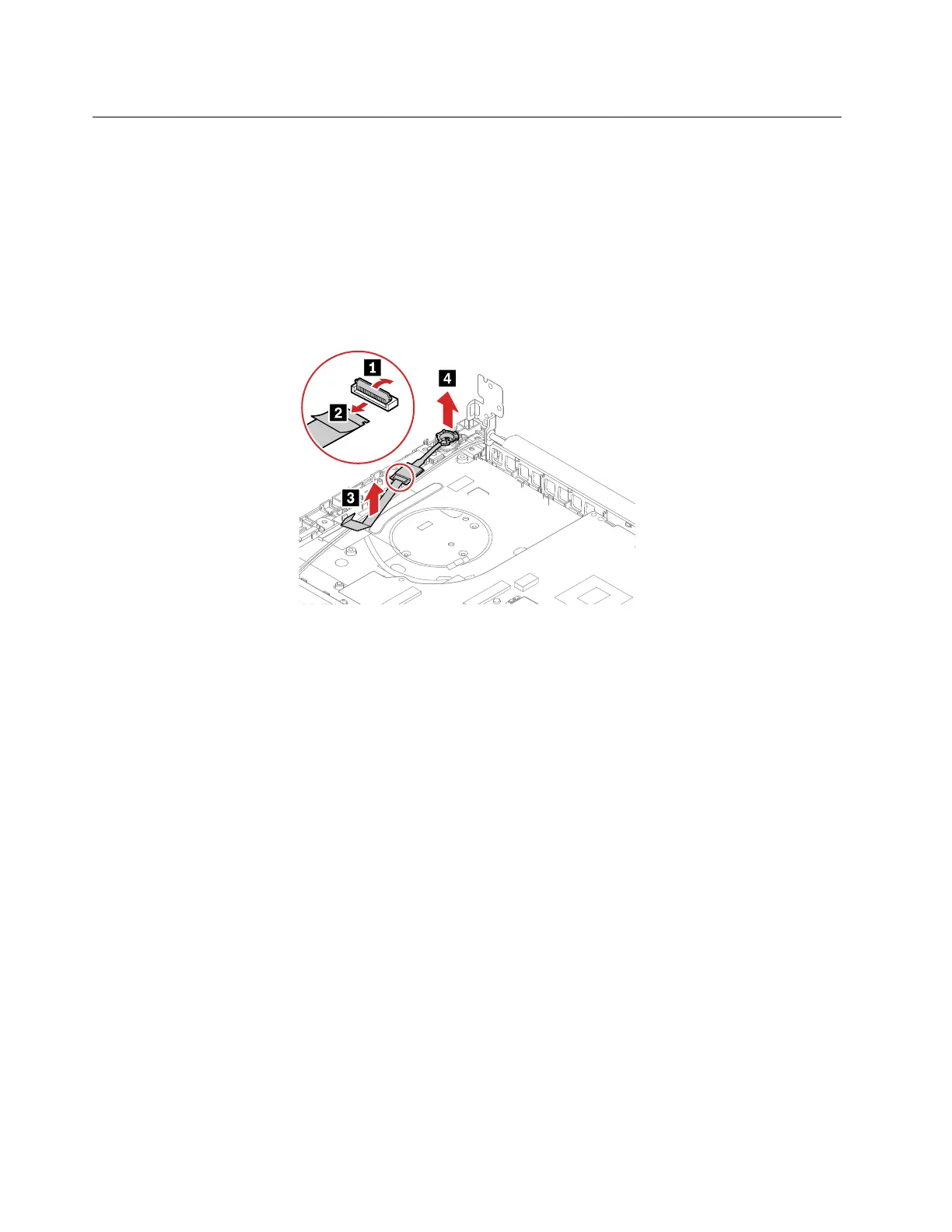
1110 Power button/fingerprint reader module and cable
ThinkPad E14/R14/S3 Gen 2
Removal steps of the power button/fingerprint reader module and cable
For access, remove these FRUs:
• “1010 Base cover assembly” on page 65
• “1040 M.2 solid-state drive and brackets” on page 68
• “1080 Thermal fan assembly” on page 75
• “1090 I/O card and cable” on page 78
When installing:
Ensure that the connectors are attached firmly.
ThinkPad E15
Removal steps of the power button/fingerprint reader module and cable
For access, remove these FRUs:
• “1010 Base cover assembly” on page 65
• “1040 M.2 solid-state drive and brackets” on page 68
• “1090 I/O card and cable” on page 78
82
E14/R14/E15/S3 Gen 2 Hardware Maintenance Manual















 To Next Page