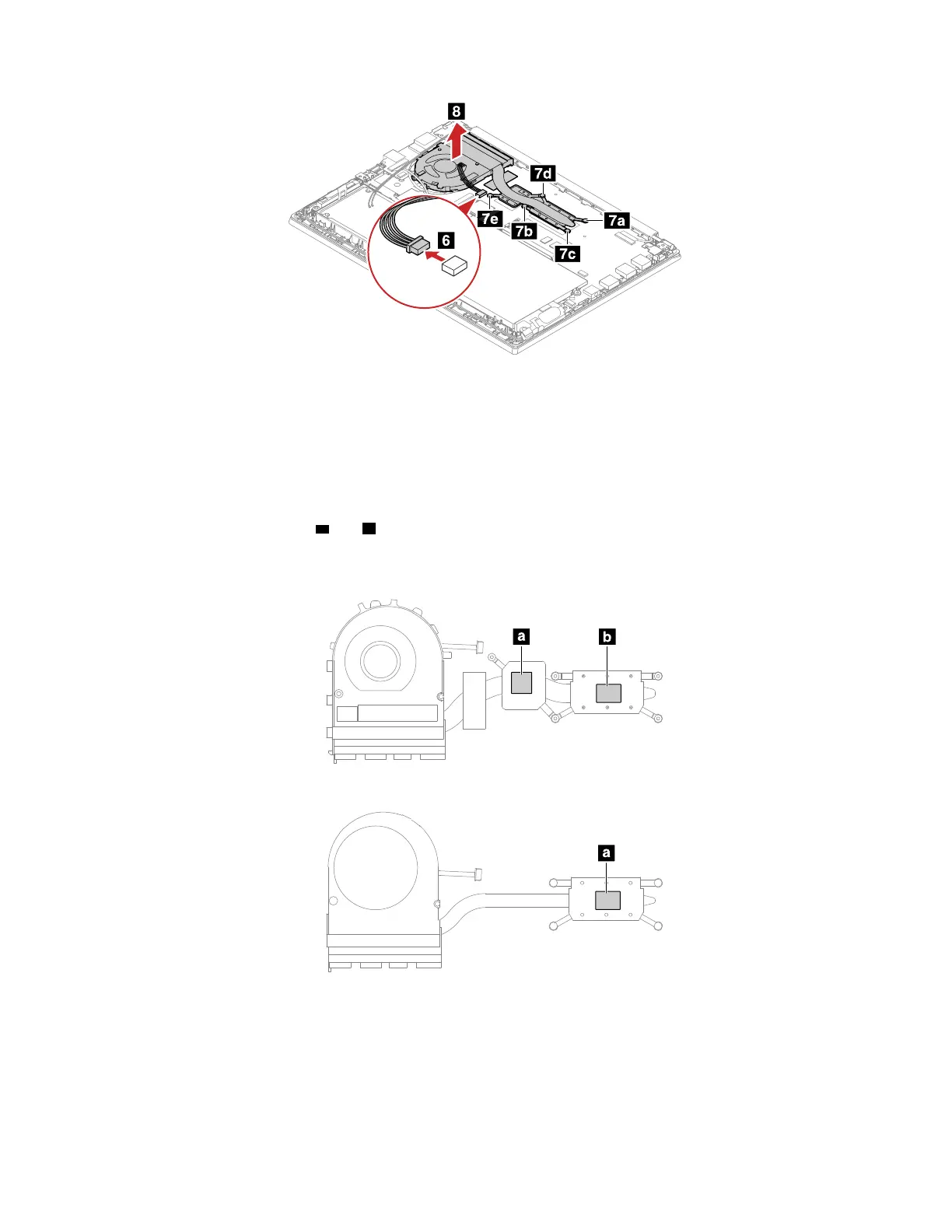
When you install the thermal fan assembly:
• Ensure that the connector is attached firmly.
• Do not press the top of the fan cover and the fan hub.
• Always wear fingerstalls when handling the thermal fan assembly. Do not touch or hold any part of the
thermal fan assembly with bare fingers.
• Before you attach the thermal fan assembly to the computer, apply thermal grease, at an amount of 0.2
grams, on the part marked
a and b as shown in the following illustrations. Either too much or too less
application of grease can cause a thermal problem due to imperfect contact with a component.
For models with discrete thermal pipes
For models with an integrated thermal pipe
Chapter 8. Removing or replacing a FRU 77















 To Next Page