EasyManua.ls Logo

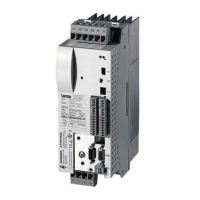
Lenze ECS series - User Manual

Lenze ECS series
483 pages
Print Icon
To Next Page IconTo Next Page
Loading...
EDBCSXA064
.Md4
Ä.Md4ä
Operating Instructions
ECS
ECSEAxxx / ECSDAxxx / ECSCAxxx
Axis module ˘ "Application"

Table of Contents

Other manuals for Lenze ECS series

Questions and Answers

  • J
    john09Sep 1, 2025
    Why Lenze Control Unit motor rotates CCW when viewed to the motor shaft?
    • S
      stoneallisonSep 1, 2025
      If the Lenze Control Unit motor rotates CCW when viewed to the motor shaft, the feedback system is not connected in the correct phase relation. Connect the feedback system in the correct phase relation.
  • M
    Mary EatonSep 12, 2025
    What to do if my Lenze Control Unit motor rotates CCW?
    • P
      Patricia CoxSep 12, 2025
      If the motor rotates counter-clockwise (CCW) when viewed from the motor shaft, the feedback system is not connected in the correct phase relation. Connect the feedback system in the correct phase relation.
  • M
    Michael RodriguezAug 30, 2025
    What to do if there is a current overload of the axis module > C0123 in Lenze Control Unit?
    • M
      meyerstevenAug 30, 2025
      If the Lenze Control Unit axis module experiences a current overload exceeding C0123, possibly due to frequent or prolonged acceleration phases, check the drive dimensioning and the setting of C0123.
  • D
    Dr. Andrew Hall IISep 14, 2025
    What causes short circuit in Lenze ECS motor cable?
    • D
      David RodriguezSep 14, 2025
      If your Lenze Control Unit experiences a short circuit of the motor cable, look for the cause of the short circuit and check the motor cable. This can also be due to excessive capacitive charging current in the motor cable, so consider using a shorter motor cable or one with lower capacitance.
  • J
    Julie DaySep 14, 2025
    How to fix thermal overload on Lenze ECS Control Unit motor?
    • J
      Jennifer QuinnSep 14, 2025
      If the Lenze Control Unit motor is thermally overloaded due to impermissible continuous current or frequent/long acceleration processes, check the drive dimensioning and switch off monitoring (C0584 = 3). This issue occurs when the motor temperature exceeds C0121, as detected via resolver or incremental value encoder.
  • M
    Mary HudsonSep 18, 2025
    How to resolve current overload of the motor in Lenze ECS Control Unit?
    • J
      John MartinezSep 18, 2025
      If the Lenze Control Unit motor is experiencing a current overload due to frequent or excessively long acceleration processes or impermissible continuous current, check the drive dimensioning and the setting of C0120.
  • R
    Robert HumphreySep 23, 2025
    How to cool down Lenze ECS Control Unit with high ambient temperature?
    • T
      Thomas WhiteheadSep 23, 2025
      If the ambient temperature is too high (Tu > +40 °C or > +50 °C) and the interior temperature of Lenze Control Unit exceeds +90 °C, allow the module to cool and ensure better ventilation. Check the ambient temperature in the control cabinet.
  • M
    martinezmarcusAug 27, 2025
    What to do if DC-bus voltage is lower than specified in Lenze ECS?
    • J
      Jennifer BradfordAug 27, 2025
      If the DC-bus voltage is lower than specified under C0174 in your Lenze Control Unit, check the mains voltage and the power supply module.
  • C
    Charles BarnesAug 26, 2025
    How to fix short circuit of motor cable in Lenze Control Unit?
    • D
      davisjoeAug 26, 2025
      To resolve a short circuit in the Lenze Control Unit motor cable, search for the cause of the short circuit and check the motor cable. If the issue is excessive capacitive charging current, use a motor cable that is shorter or has lower capacitance.
  • T
    teresa77Aug 25, 2025
    What to do if there is a current overload of the axis module in Lenze ECS?
    • J
      Jonathan SullivanAug 26, 2025
      If the Lenze Control Unit axis module experiences a current overload, such as due to frequent and prolonged acceleration processes or continuous overload with Imotor exceeding 1.05 x INx, check the drive dimensioning.

Summary

Preface and General Information

About these Operating Instructions

Provides essential information for connecting and commissioning ECSxA axis modules, including safety instructions.

Features of the ECSxA Axis Module

Lists key features of the ECSxA axis module, including safety functions, CAN interfaces, and feedback systems.

System Block Introduction

Introduces the concept of system blocks (SB) as hardware function blocks integrated into the axis module.

Safety Instructions

General Safety and Application Notes

Covers essential safety measures for personal safety and preventing damage to material assets.

Technical Data

Rated Data

Presents technical specifications including output power, DC-bus voltage, and current ratings for axis modules.

Current Characteristics

Explains how continuous current depends on output voltage and control factor.

Mechanical Installation

Mounting with Fixing Rails (Standard Installation)

Details dimensions and mounting steps for standard installation using fixing rails.

Mounting with Thermal Separation (Push-Through Technique)

Explains mounting requirements for push-through design, including cooling and protection class.

Mounting in Cold-Plate Design

Covers requirements for collective coolers and mounting steps for cold-plate design.

Electrical Installation

Installation According to EMC

Covers electromagnetic compatibility aspects like assembly, filtering, shielding, and earthing.

Power Terminals

Details plug connectors, their assignments, and cable cross-sections for power connections.

Control Terminals

Explains connections for control electronics, digital/analog signals, and safety functions.

Commissioning

Before You Start

Lists prerequisites and checks before initial switch-on, including wiring verification.

Carrying Out Basic Settings with GDC

Details basic settings configuration using the Global Drive Control program, including motor data and feedback.

Setting of the Feedback System

Explains configuration for resolvers, TTL encoders, SinCos encoders, and absolute value encoders.

System Bus (CAN; CAN-AUX) Configuration

Setting the CAN Node Address and Baud Rate

Details setting node addresses and baud rates via DIP switches or codes for CAN interfaces.

Monitoring Functions

Fault Responses

Details the consequences and display options for TRIP, Message, Warning, FAIL-QSP, and Off responses.

Overview of Monitoring Functions

Provides a comprehensive overview of all monitoring functions, their sources, and possible responses.

Configuring Monitoring Functions

Covers setting monitoring times for process data input objects, communication errors, and bus states.

Diagnostics

Diagnostics with Global Drive Control (GDC)

Locating diagnostic codes and fault history values within the GDC parameter menu.

Troubleshooting and Fault Elimination

Fault Analysis

Methods for analyzing faults using LED displays, keypads, history buffer, and LECOM status words.

Malfunction of the Drive

Lists common drive malfunctions, their causes, and suggested remedies.

Fault Messages

Provides an overview of fault messages, their sources, and possible responses.

System Modules

DCTRL_DriveControl (Node Number 121)

Controls axis module states like Quick stop, Operation inhibit, Controller inhibit, and TRIP.

MCTRL_MotorControl (Node Number 131)

Controls driving machine functions including phase, speed, and motor control.

Appendix

Code Table

Comprehensive list of Lenze codes, their settings, and important information.

Lenze ECS series Specifications

General IconGeneral
CategoryControl Unit
Protection classIP20
Product seriesECS series
Output currentDepends on specific model
Communication interfacesCANopen, Ethernet
Relative humidity5% to 95% (non-condensing)

Related product manuals