12 12
Installation
Hardware installation
WARNING: Do not mount the camera on a soft material. The camera may fall and be
damaged.
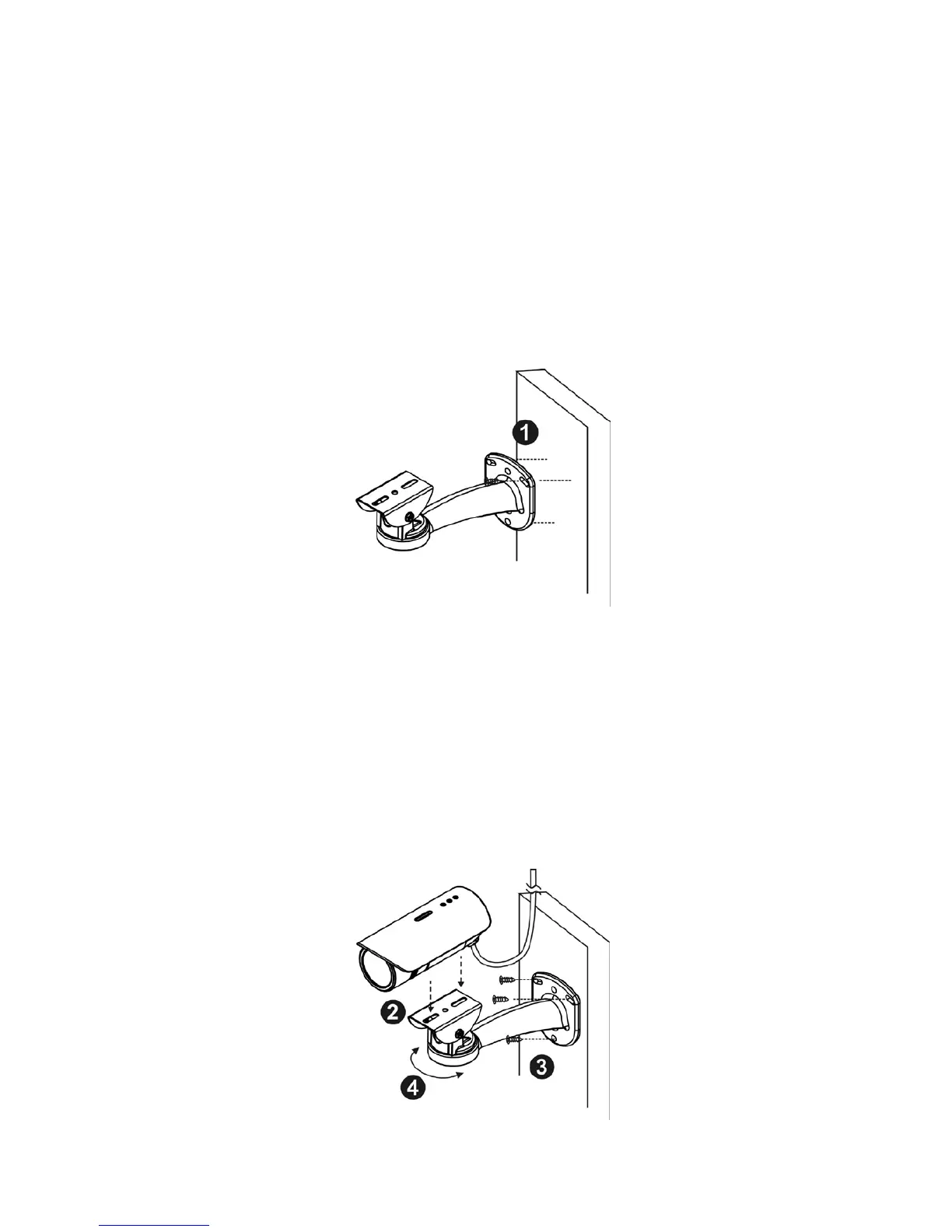
1. Choose the location on the wall to place the camera. Use the bracket as a guide and
drill four holes into the wall. Hammer the supplied plastic anchors into the holes.
2. Place the Network Camera on the bracket and use two screws to secure it to the
bracket.
3. The user needs the four screws which are included in the product package and a
screwdriver. Mount the bracket on the wall and position the four screw slots over the
plastic anchors. Insert the screws into the holes and use the screwdriver to tighten the
screws clockwise until they are secure.
4. Adjust the angle of the bracket so that the camera is facing the desired surveillance
area.















 To Next Page