- 43 -
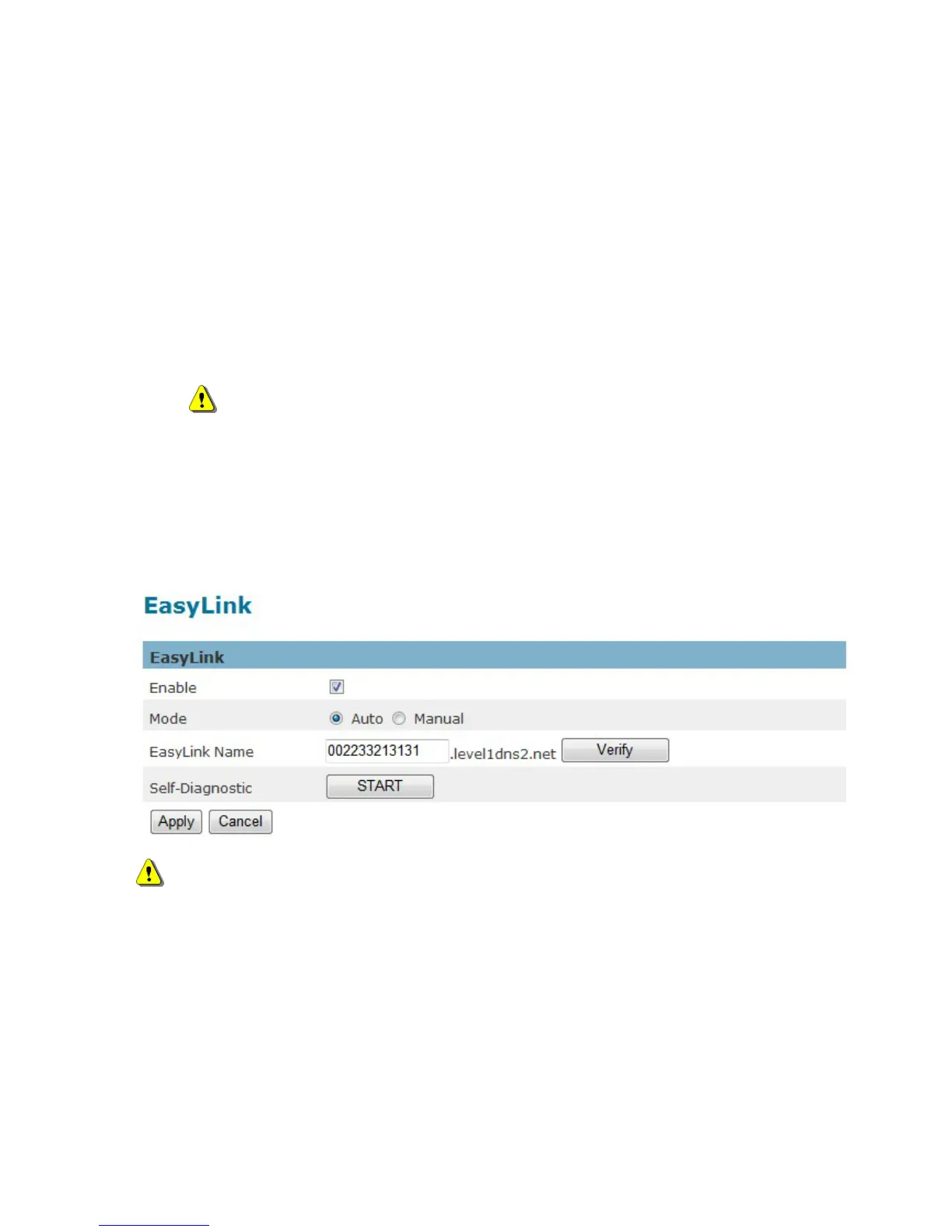
EasyLink
The IP Camera is bundled with free Level1DNS
TM
1. Check the box to enable EasyLink function.
service which allows users to assign a unique user
name to their network camera’s IP address. There is no need to configure the router to open up ports
or remember hard-to-memorize IP addresses. The default domain name is MAC address, you can also
register your own name on-line but it have to check the available first.
2. If Auto mode is selected, the following page will be displayed.
NOTE - This mode is recommended.
3. Enter a unique EasyLink name whose length must be between 5-32 characters. Verify that
the EasyLink name is available.
Click Apply to apply settings or Cancel to cancel changes.
NOTE - The EasyLink function will not work if the following conditions occur:
1. The camera cannot be located behind a double NAT network.
2. The camera’s IP address cannot be assigned to specific port numbers using the router’s port
forwarding.
3. EasyLink uses UPnP to exchange port information with the router. The camera must be
connected to the internet through a router which supports UPnP.















 To Next Page