- 42 -
Multicast
Multicast sends a video stream to the multicast group address and allows multiple clients to acquire the
stream at the same time by requesting a copy from the multicast group address. Therefore, multicast
can effectively save Internet bandwidth. The RTSP (Real-Time Streaming Protocol) controls the delivery
of streaming media.
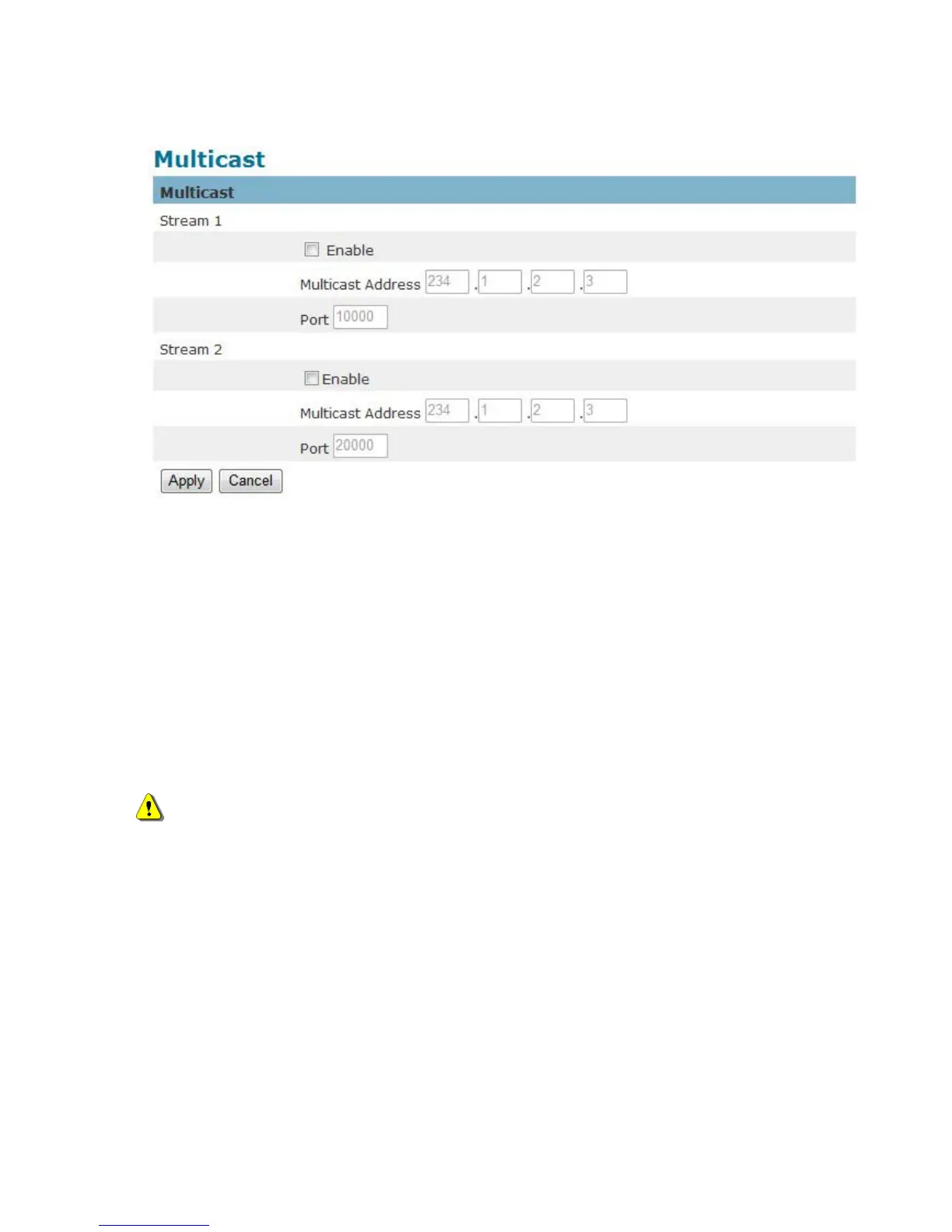
Click “Enable” to enable Multicast stream 1, Multicast stream 2 or Multicast stream 3. The default value
for multicast address and port are 234.1.2.3 and 10000. Use different port number for different streams.
It is recommended to use the default values.
NOTE - Using the IP address of the Network Camera enables access to the video.
Example: rtsp://192.168.1.1/channel1
Click Apply to apply settings or Cancel to cancel changes.















 To Next Page