61
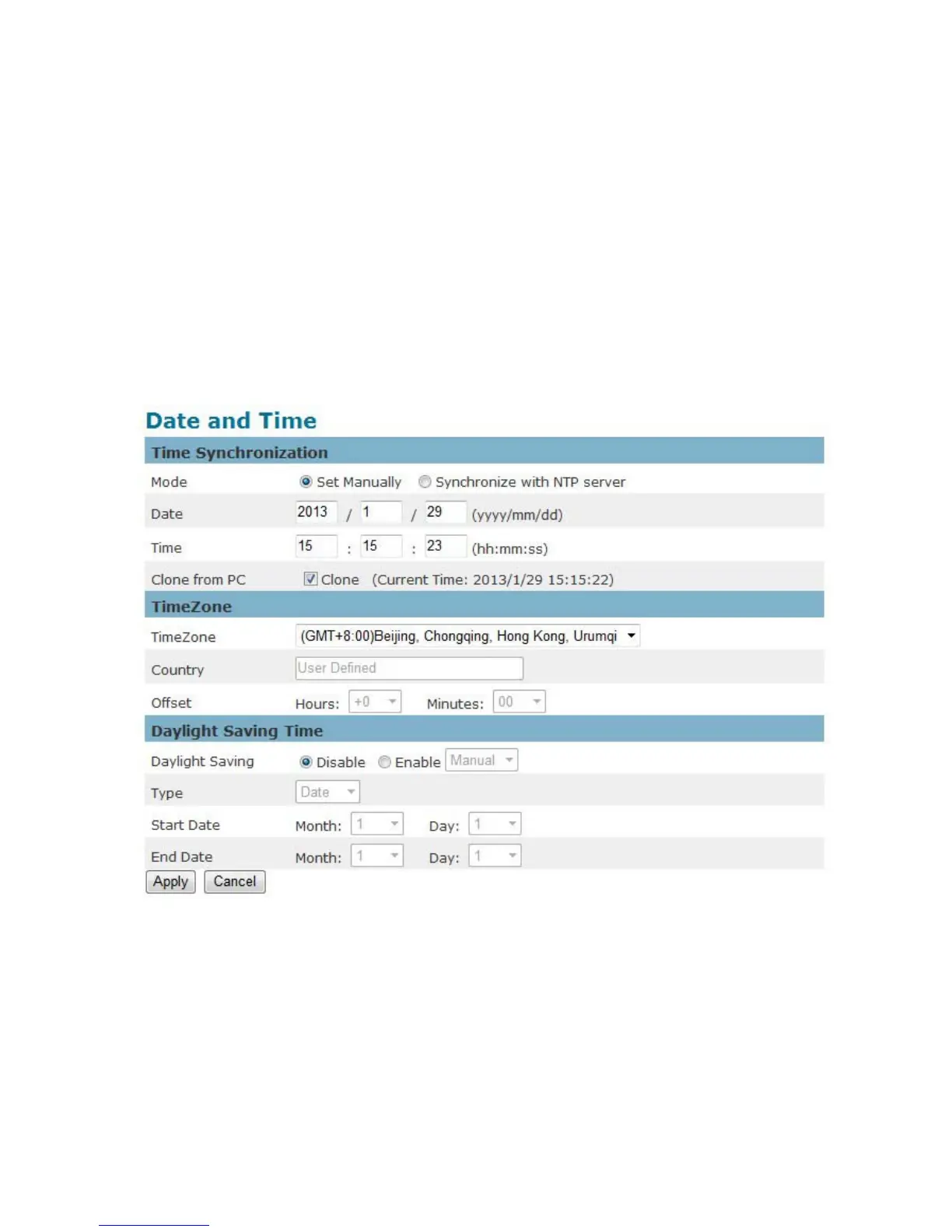
Date and Time
Time Zone – Select the local time zone from drop-down menu.
Manual – Manually enter the date and time.
Clone from PC – The camera will sync with the time, date and time zone of the computer used to
modify the camera settings. Check “Clone” to utilize this option. The read-only date and time of
the PC will be displayed.
NTP – (Network Time Protocol) - NTP is a protocol for synchronizing the clocks of a computer
system. Select to update the time with a NTP server on an hourly, daily, weekly, or monthly
basis.
NTP Server 1 and Server 2 - Enter the address of the NTP server
Daylight Saving - Enable this option to automatically update for Daylight Savings Time.
Click Apply to apply settings or Cancel to cancel changes.















 To Next Page