18
Single
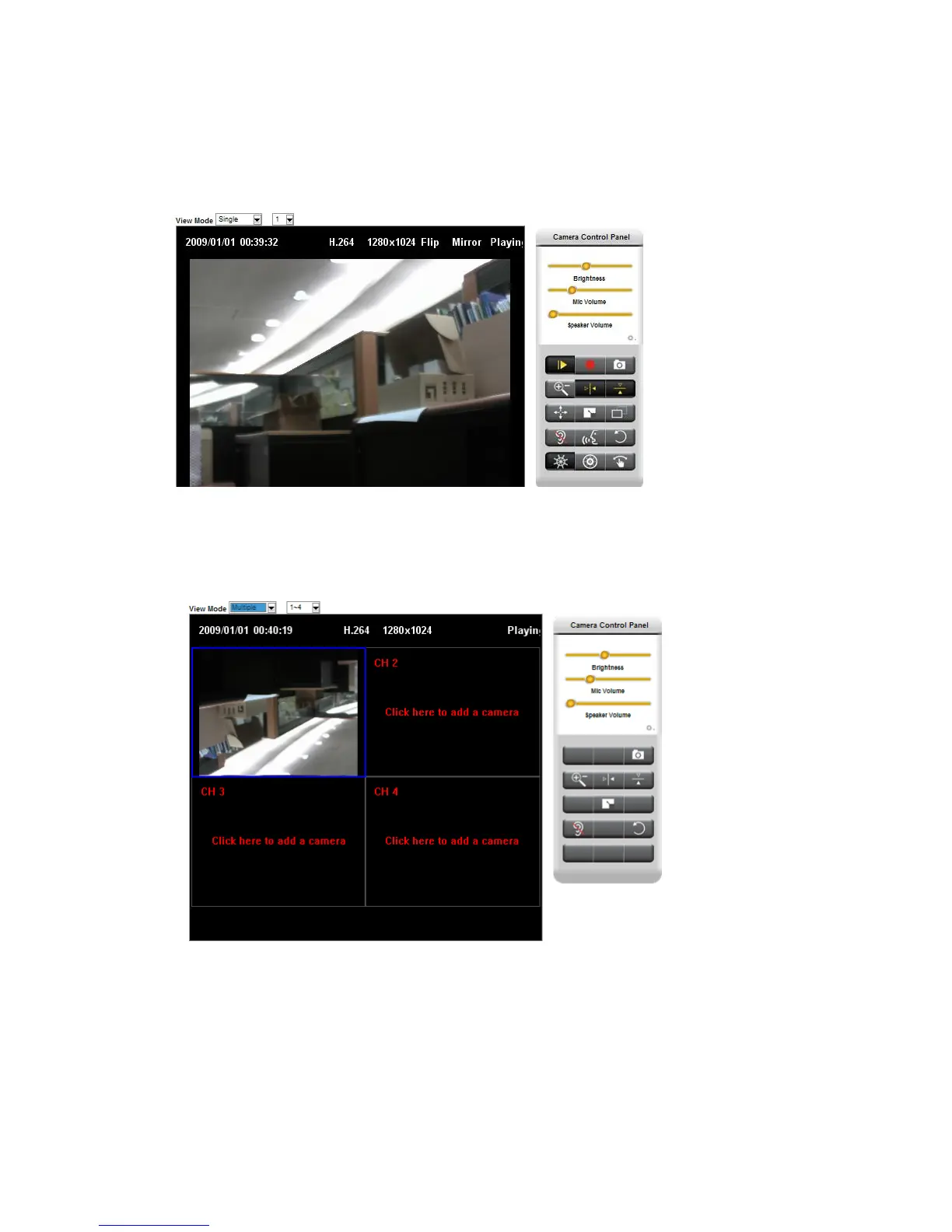
In single mode, you can check one camera video in the full screen.
You can select the drop-down menu to select the camera 1 to camera 16.
Multiple
In multiple mode, you can check 4 cameras video in the same screen.
You can select the drop-down menu to select the camera 1~4 to camera 13~16.
If you want to add camera2~camera4 in this screen, click the ch2~ch4 screen to add camera. It will
pop up a connect setting screen as following.














 To Next Page