32
10.2 UPnP
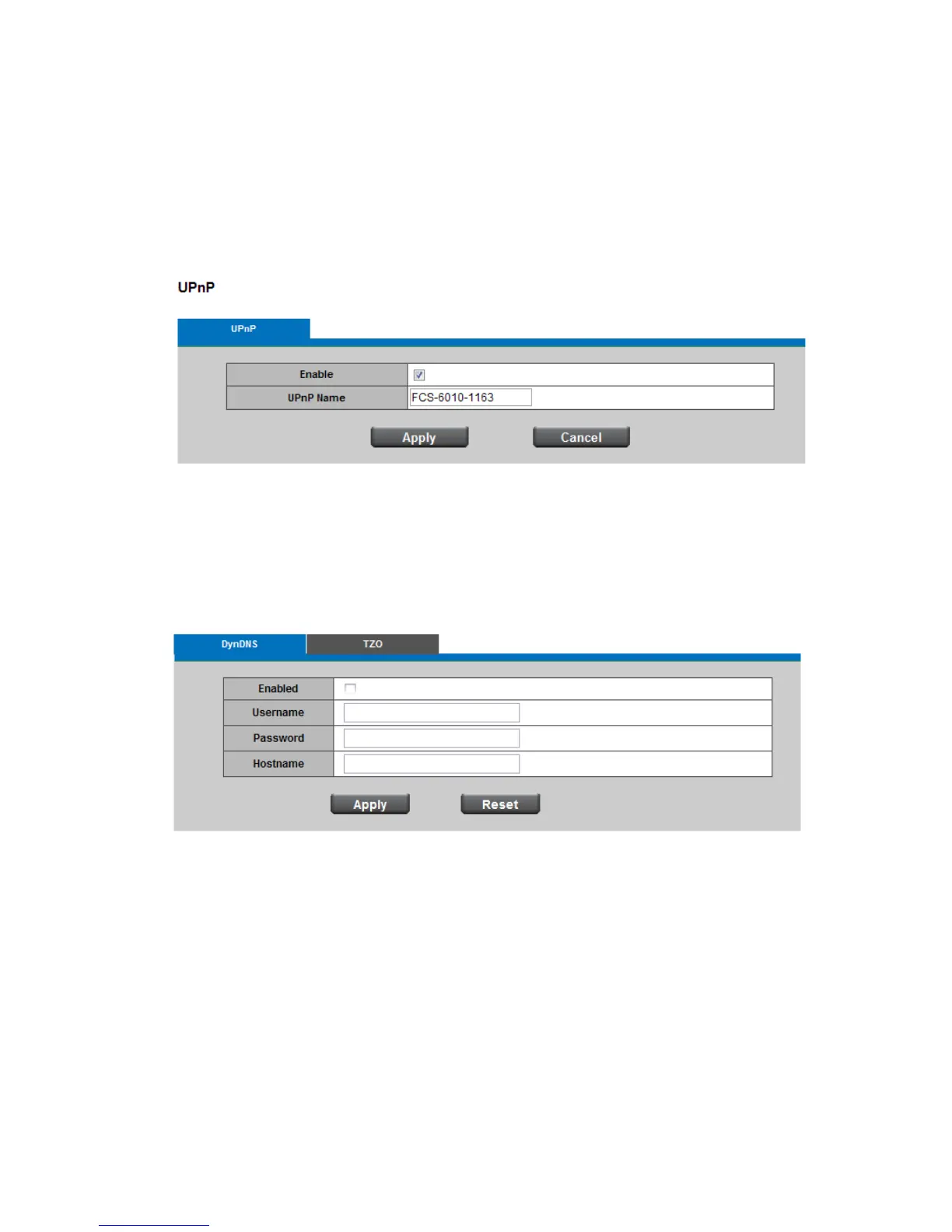
Universal Plug and Play (UPnP) simplifies the process of adding a Network Camera to a local area
network. Once connected to a LAN, the camera will automatically appear on the intranet. Click
"Enable" to enable this function and enter an UPnP name which the camera will appear as on the
intranet.
Click Apply or Cancel to take effect.
10.3 DDNS(dynamic domain name service)
DynDNS
Enable the DynDNS to allow the Network Camera to have a fixed host and domain name. Enter the
username, password and hostname.
Click Apply or Reset to take effect.














 To Next Page