47
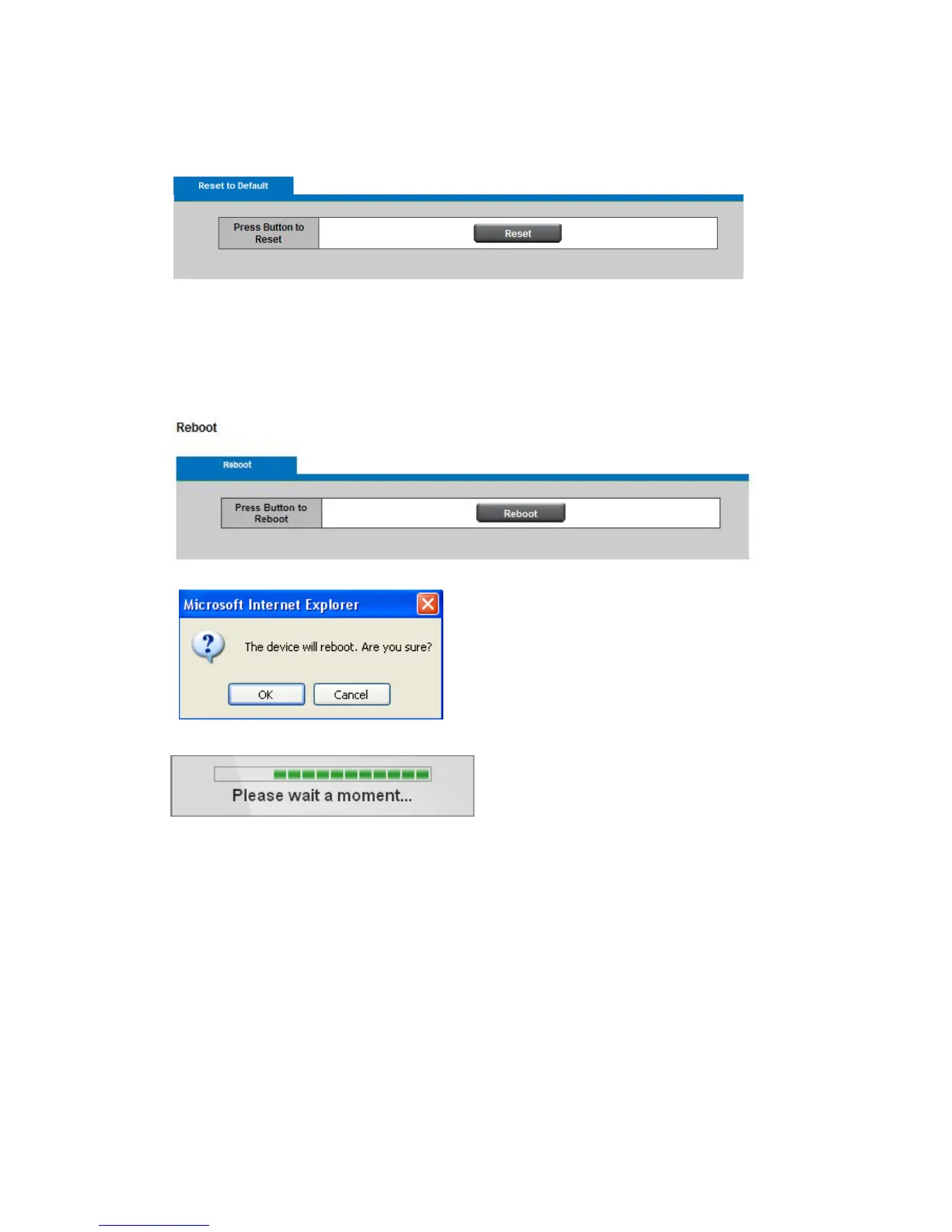
13.5 Reset to Default
Click Reset to restore the network camera to factory default settings.
13.6 Reboot
This feature will reboot the Network Camera. Click Reboot to reboot the Network Camera.
A message will pop up asking “The device will reboot. Are you sure?” Click “OK” to continue.
The camera will take about one minute to reboot.
The following message will show during the rebooting process.
When completed, the live video page will be displayed in the web browser.














 To Previous Page