28
8. Camera Control
9.1 Preset Positions
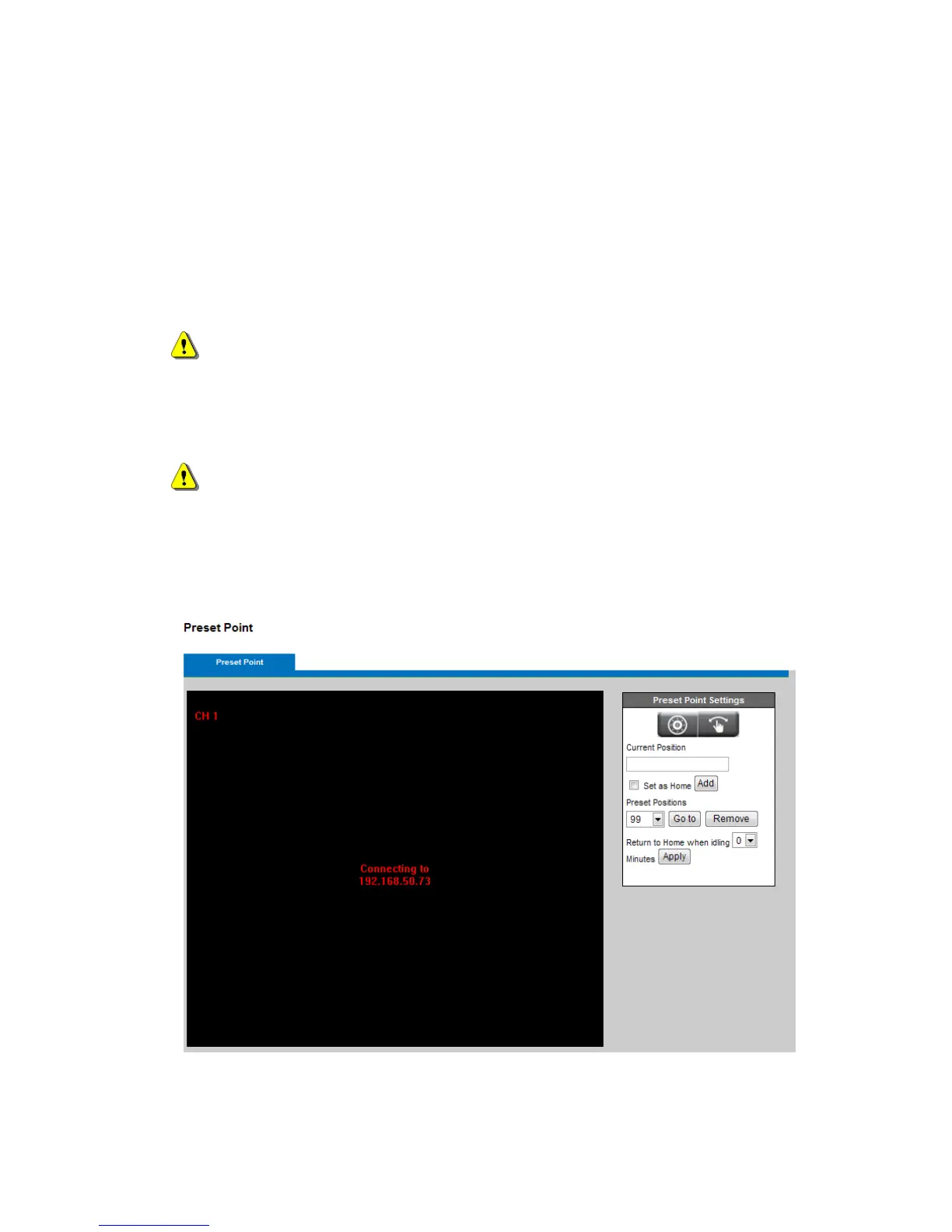
A preset position is a pre-defined camera view that can be used to quickly move the camera view to a
specific location. To create a preset position:
Use the Pan, Tilt (PT) controls to steer the camera view to the required position.
Enter a descriptive name under Current Position and click Add.
The camera position and focus settings will be saved as a preset position.
NOTE – A total of sixteen preset points can be set.
Preset Positions can be assumed at any time by selecting the preset position's name from the
available positions drop-down list. One position can be set as the Home position, which is readily
accessible by clicking the Home button in the PT panel.
NOTE - The name of the preset point set as Home will have (H) added; for example, Gate (H).
The camera can be configured to return to the Home position when the camera has been inactive for
a specified length of time. Select the desired length of time from the drop-down menu and click Apply.
Setting the time to zero prevents the camera from automatically returning to the Home
position.














 To Next Page