37
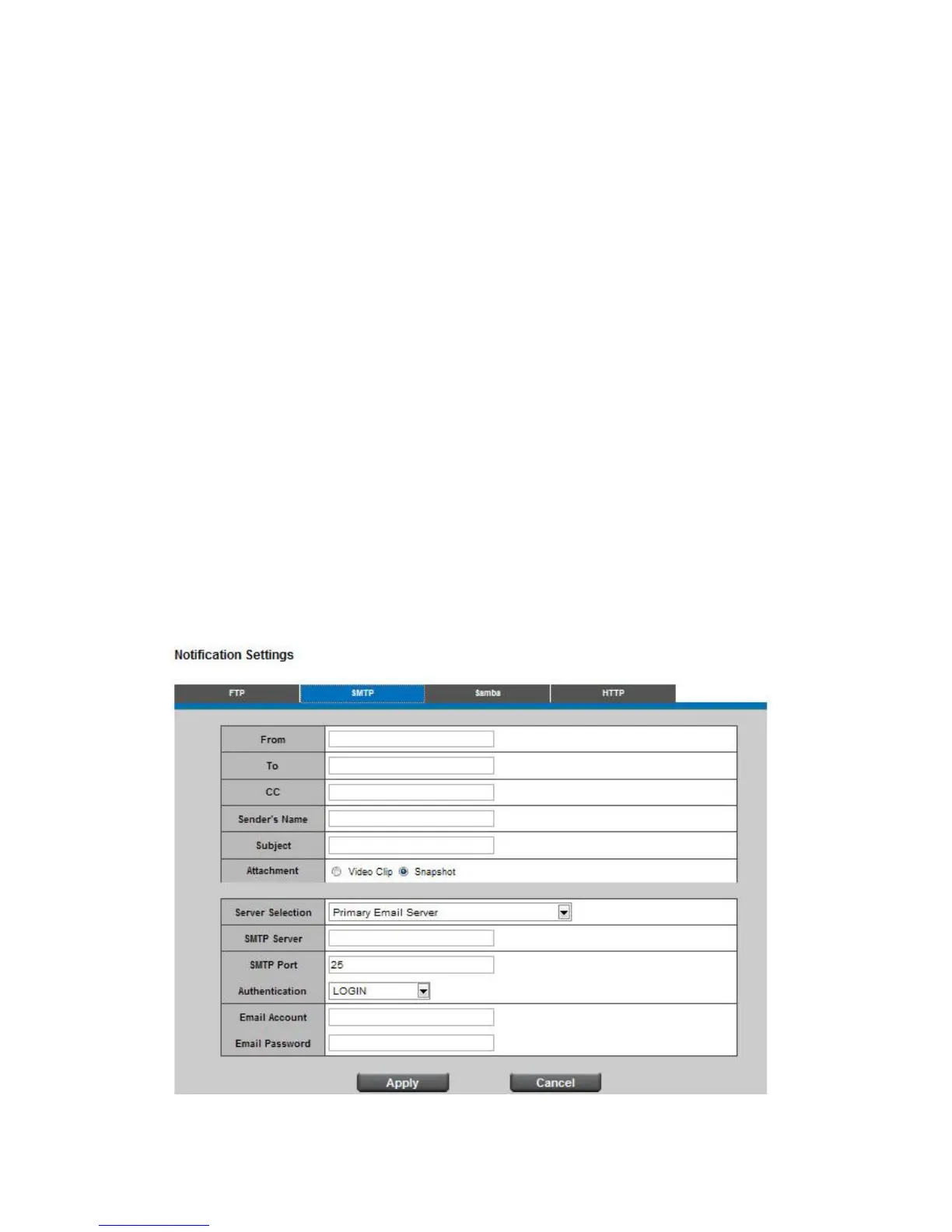
SMTP
Select "Primary Email Server" option from the Server Selection drop down menu to send media files
to an email server when an event is triggered.
SMTP Server - Enter the server host name of the email server.
SMTP Port - Enter the Port number of the email server. By default, the SMTP Port is set to 25.
Authentication - Select the authentication type from the drop-down menu.
Email Account - Enter the username of the email account if necessary.
Email Password - Enter the password of the email account if necessary.
SMTP Server and Port number
Enter the server host name and Port number of the email server.
Authentication
Select the authentication type from the drop-down list.
Email Account
Enter the user name of the email account if necessary.
Email Password
Enter the password of the email account if necessary.















 To Next Page