44
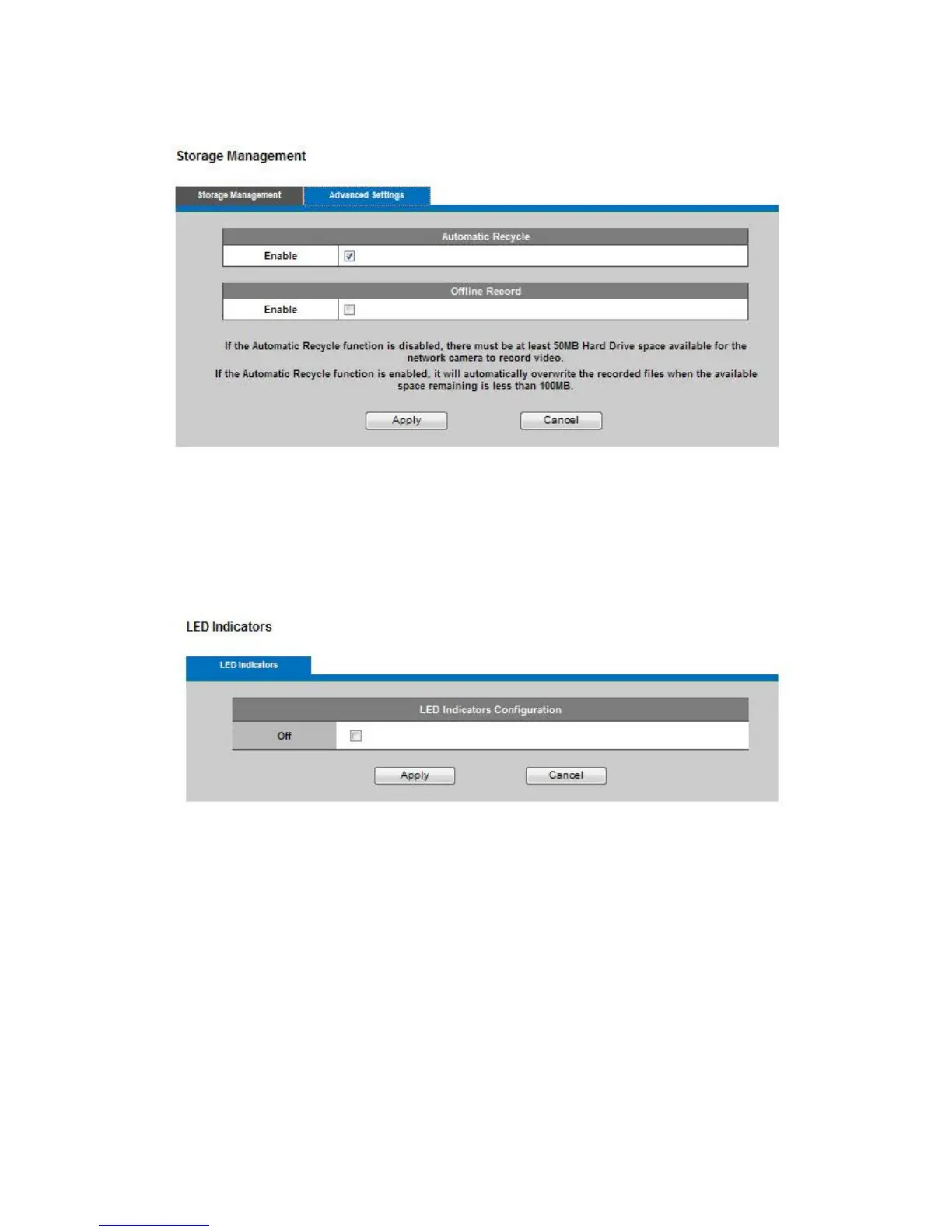
Advanced Settings
12.5 LED Indicators
The LED on the front of the camera can be configured to remain unlit to prevent detection when the
camera is recording. Check Off to enable this function.
Click Apply or Cancel to take effect.
12. Maintenance
13.1 User Management
This section can be used to enable password protection and create multiple user accounts.
Privilege Settings
Enter the new user's name and password. Select the privilege level for new user account. Click Add
to take effect. The administrator account name is "admin", which is permanent and can not be
deleted. Administrators can add up to 10 user accounts.
Select the privilege level for new user accounts. Privilege levels can be assigned as:
Administrator - user has access to view and change the Configuration page. Users with administrator
privilege can change other user's access rights and delete user accounts. Click Delete or Update to














 To Next Page