22
7. Camera/Video/Audio
Click Configuration on the main page to enter the camera setting pages. Note that only
Administrators can access the configuration page.
8.1 Camera
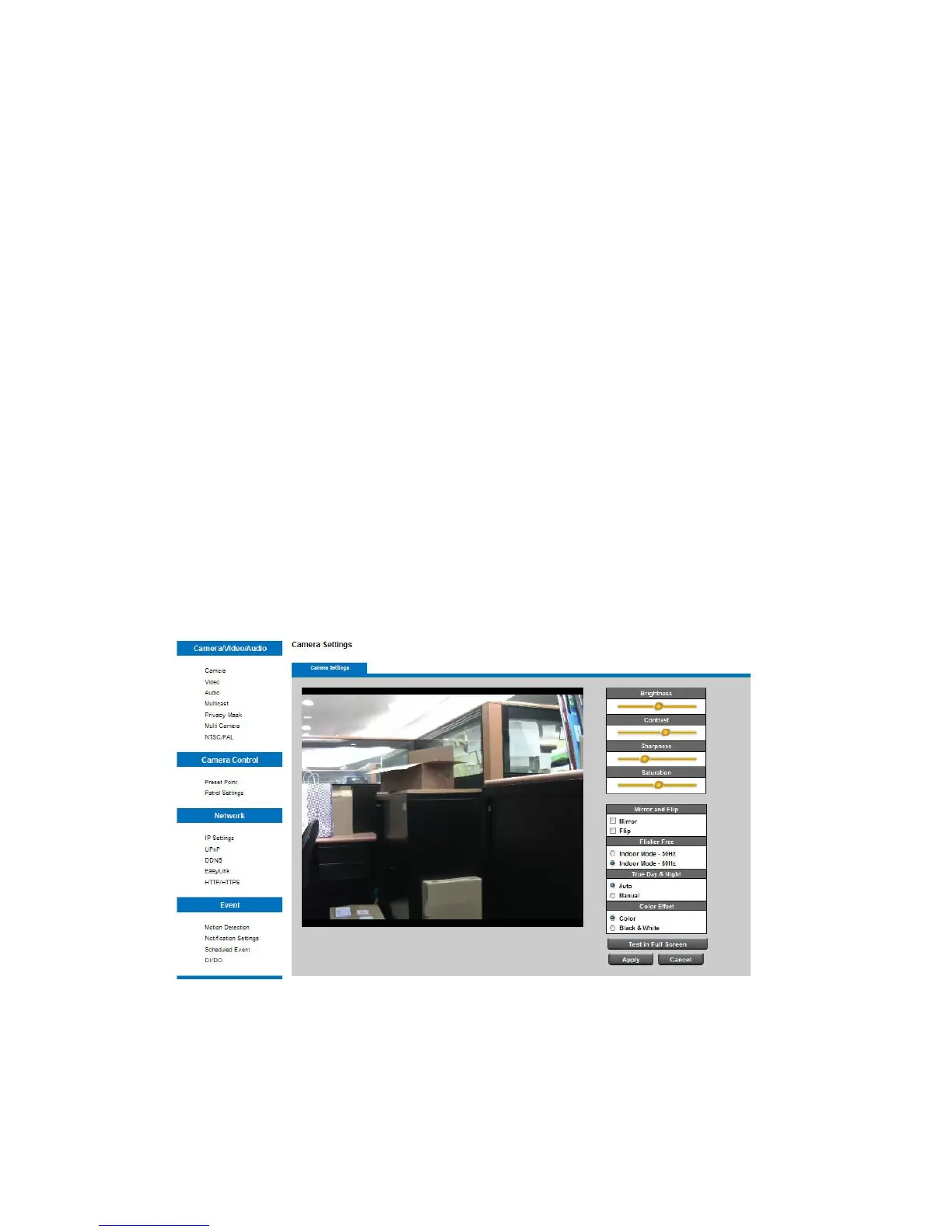
Camera Settings
Brightness : Drag the slider bar to adjust the image brightness level from -5 to +5.
Contrast : Drag the slider bar to adjust the image contrast level from -5 to +5.
Sharpness : Drag the slider bar to adjust the image sharpness level from -5 to +5.
Saturation : Drag the slider bar to adjust the image saturation level from -5 to +5.
Mirror and Flip
Mirror - Enable to horizontally reflect the display of the live video.
Flip - Enable to vertically reflect the display of the live video.
Flicker-Free
Eliminates the problem of flicker.
Color Effect
Select to display color or black and white video streams.














 To Next Page