NVR-02 Series User Manual
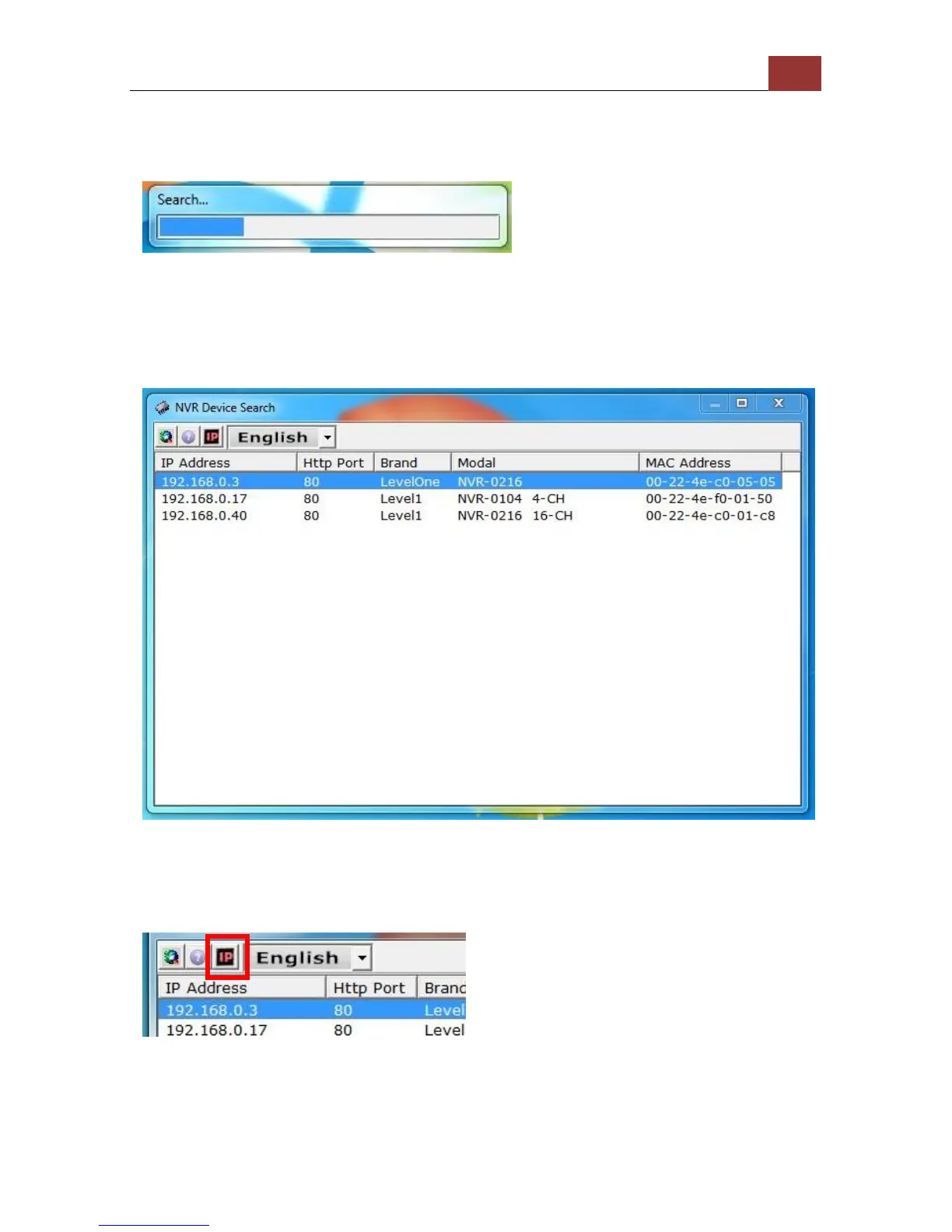
The search should start automatically and its status should be
displayed.
The NVR should be located and its IP address should be displayed:
Double-click on it and the program should automatically access the
NVR’s web administration page from your default browser.
You may change NVR’s IP address by click on the button highlighted
below.



 To Next Page