NVR-02 Series User Manual
Auto Pan Viewing
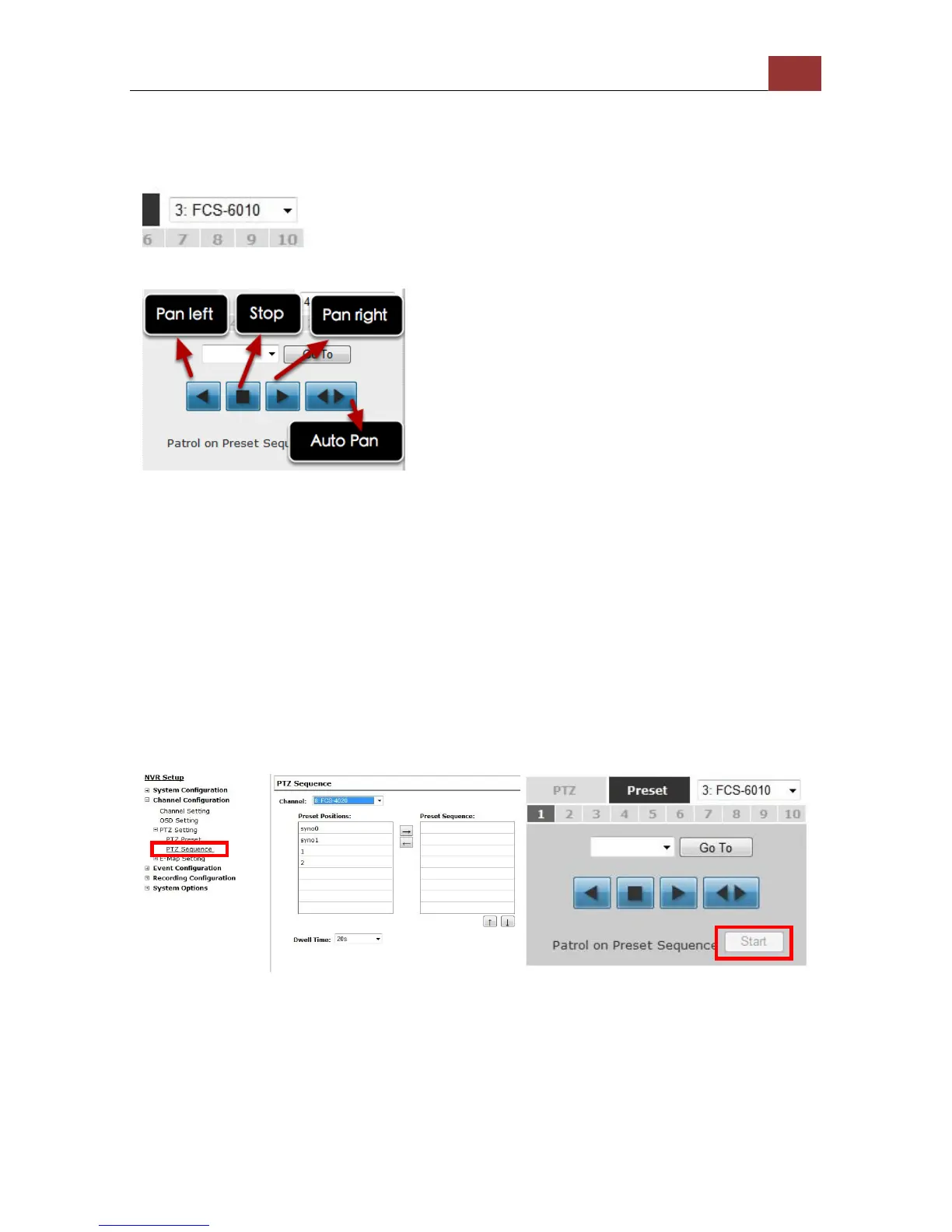
Start by selecting a PTZ camera from the drop-down list:
Use the Auto Pan control buttons to pan right, left and stop auto pan
* Certain cameras do not support bi-directional pan movements.
Use the “Auto pan” button for such cameras
Preset Point Sequence Viewing
This function allows you to view multiple preset points from a video of
a camera without having to select them one by one. Once you have
defined the preferred preset points in “Channel Configurations” >>
“PTZ Setting” >> “PTZ Sequence” under the “Setup” menu, click
“Start” in the lower-left hand corner in Live View under “Preset” and
the recorder will begin to display videos from those preset points in
sequence automatically until you click “Stop”.



 To Next Page