NVR-02 Series User Manual
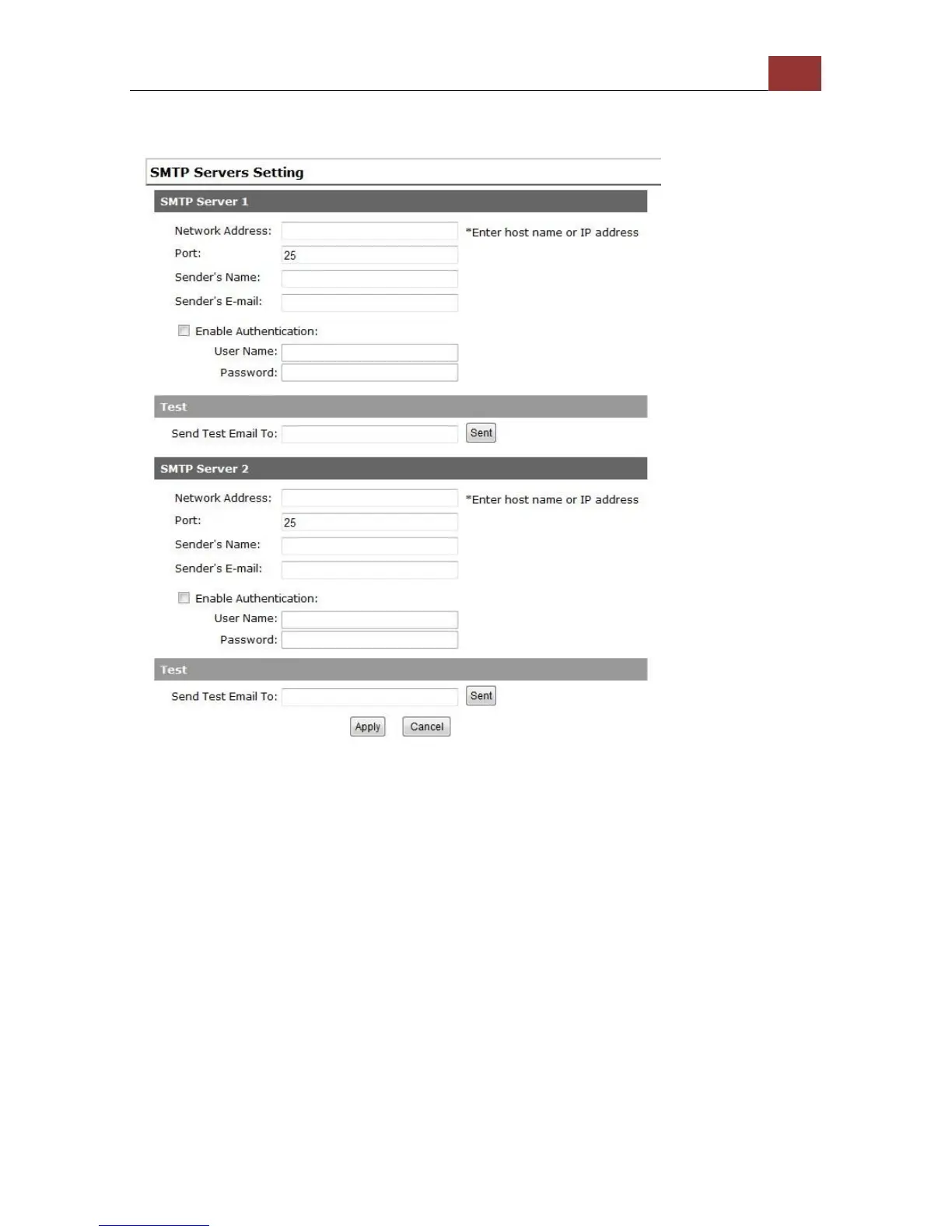
Configuring an SMTP server
1. Enter the hostname or the IP address of the SMTP server
2. Enter the port of the SMTP server
3. Specify the sender’s name in the “Sender’s name” field
4. Enter the sender’s e-mail address
5. Check “Enable Authentication” and enter the username and
password of the SMTP server if it requires authentication
6. Click “Apply” to save the configuration
*The NVR supports SMTP servers that use base64 or MD5 authentication methods.
* 3rd party free E-mail services such as Gmail, Hotmail, or Yahoo mail are not
supported.



 To Next Page