NVR-02 Series User Manual
PTZ Preset Sequence
Once you have multiple preset points defined for a camera, it is
convenient for monitoring to set up the sequencing viewing among
those preset point and let the recorder automatically switch between
them for you.
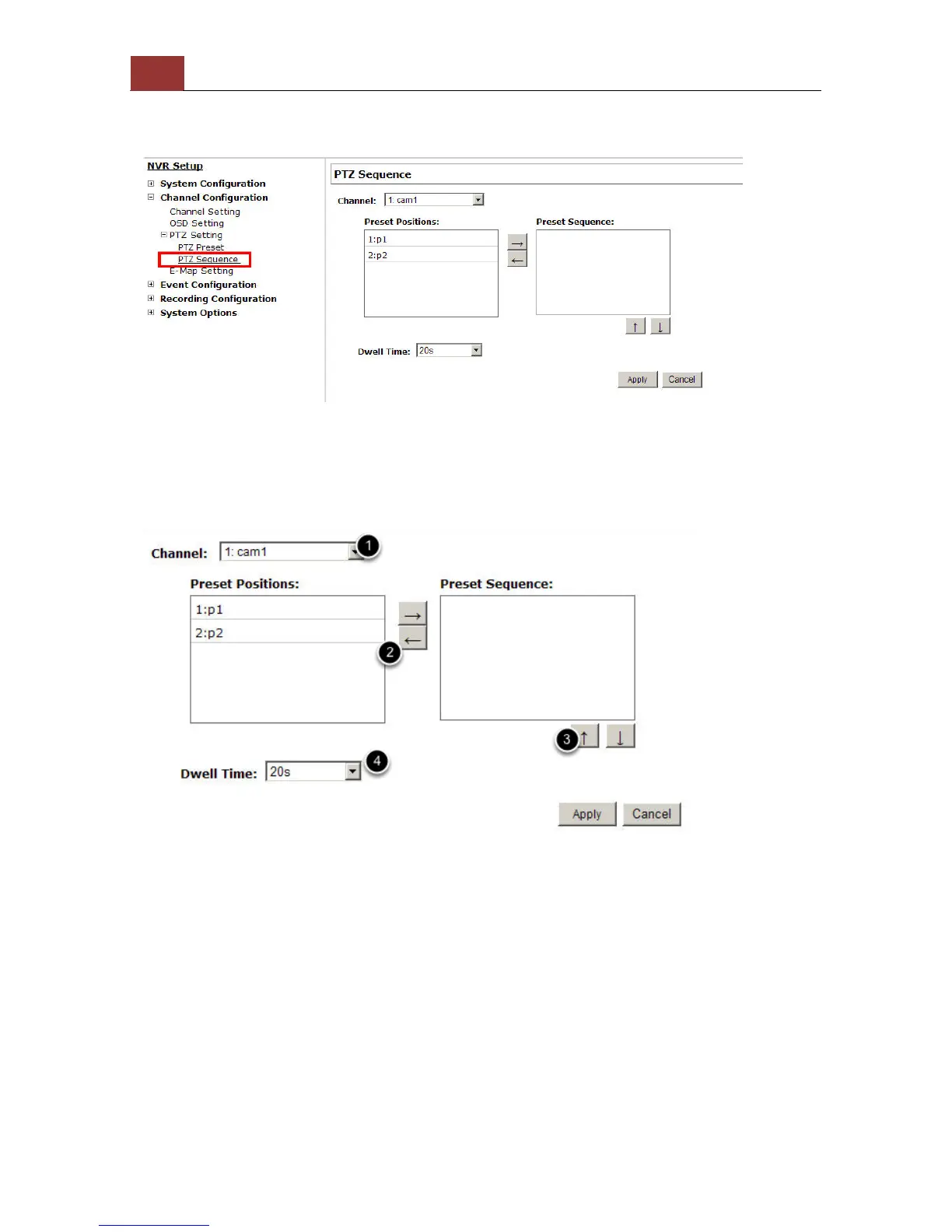
To configure preset sequence for a camera,
1. Select a channel from the “Channel” drop-down menu. The available
preset points should be listed in “Camera Presets” section.
2. Pick the ones you like for sequence viewing and press the “->”
button to move them to the “Preset Sequence” section, then
3. use the up and down buttons to adjust their sequencing positions.
4. Finally, select a dwell time from the drop-down menu and click
“Apply” to save the configuration



 To Next Page