NVR-02 Series User Manual
Take a snapshot of a live video
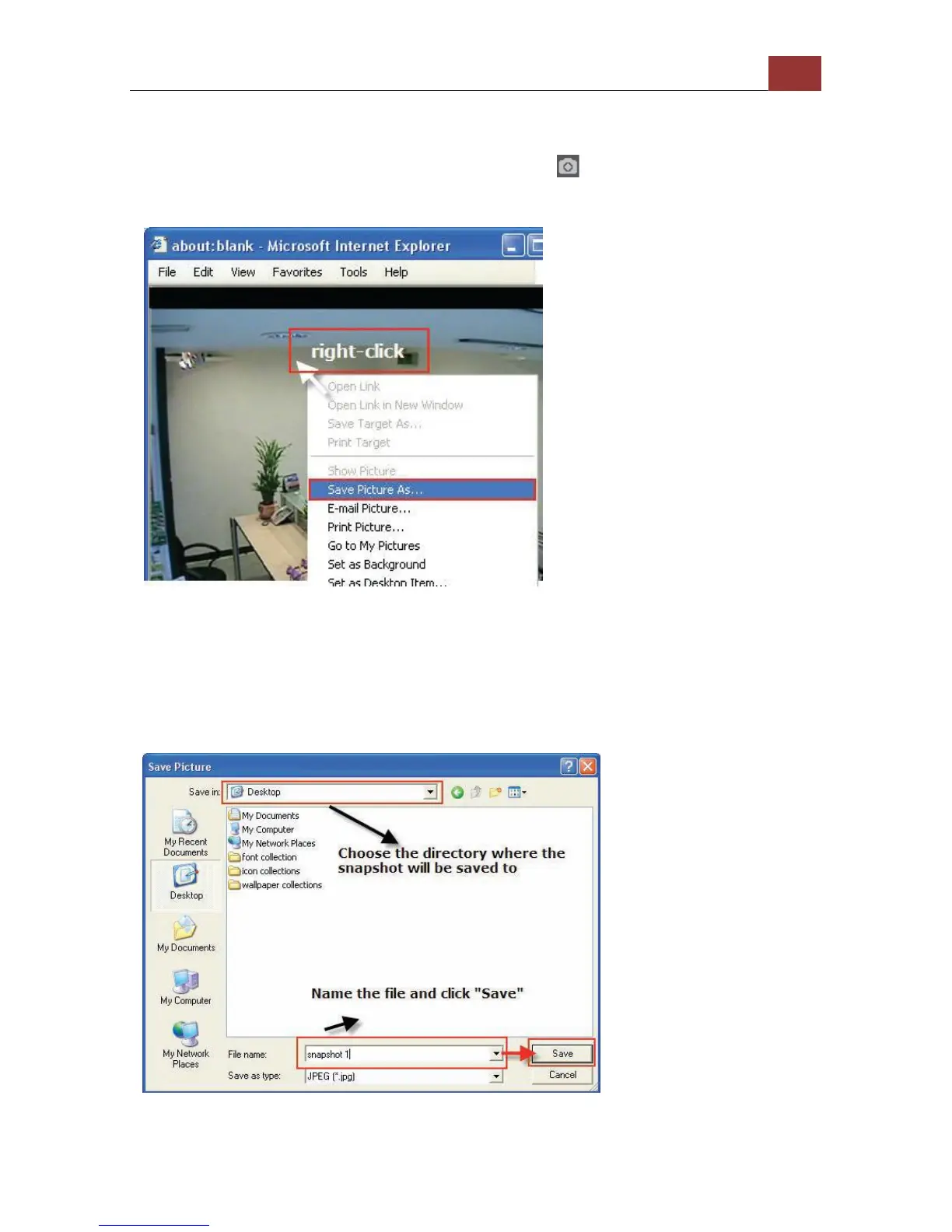
To take a snapshot of a live video, click the button and the
snapshot of the video will be displayed in a pop up window.
* If you are running
Windows Vista or 7, please
make sure IE is executed
with the “Administrator”
privilege in order for this
function to work properly.
Right-click anywhere on the image and select “Save Image as” from
the pull-down menu
In the pop up dialog, name the image file and choose which directory
the image will be saved to and click “Save”



 To Next Page