NVR-02 Series User Manual
Play Exported Playback Videos with NVR Media Player
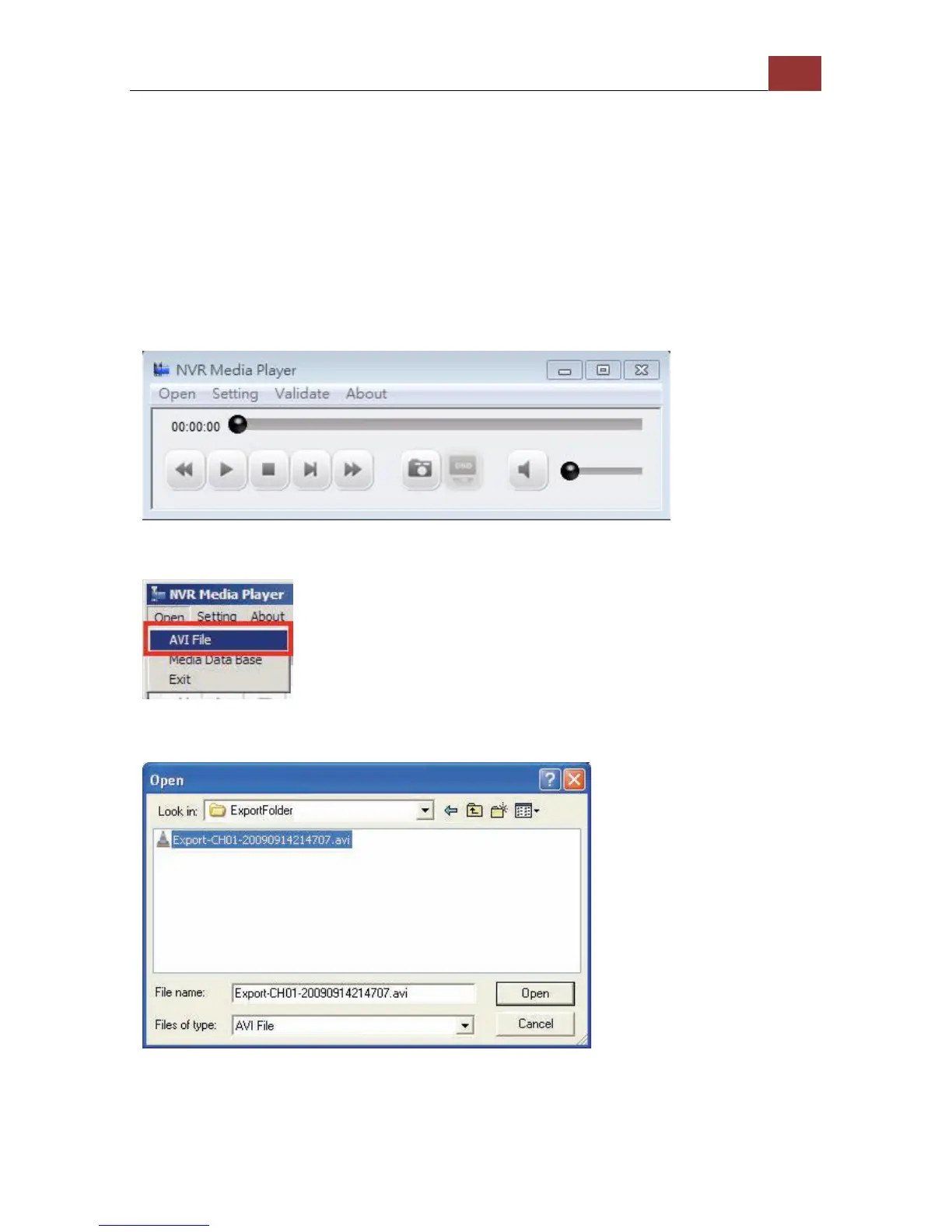
You can also use the NVR Media Player to play the exported AVI files.
This can save you the trouble of installing third-party media player or
codecs when playing the exported AVI videos.
The NVR Media Player will be automatically installed after the CMS
software is installed. You can launch the player under “Start” >> “All
Programs” >> “LevelOne” >> “NVR Management Software"” >> “NVR
Media Player”.
Click “Open” >> “AVI File”
Locate the exported AVI file, and click “open”. (normally under
“C:\ExportFolder)”
The video will then start playing



 To Next Page