Chapter 3 Basic Settings Page 18
topology state before entering the forward state. Default time value is 1 sec.
GPS Coordinate Settings
The GPS Coordinate Setting helps you mark the latitude and longitude of the Power R2 Extender.
Just enter the coordinates and click the Apply button.
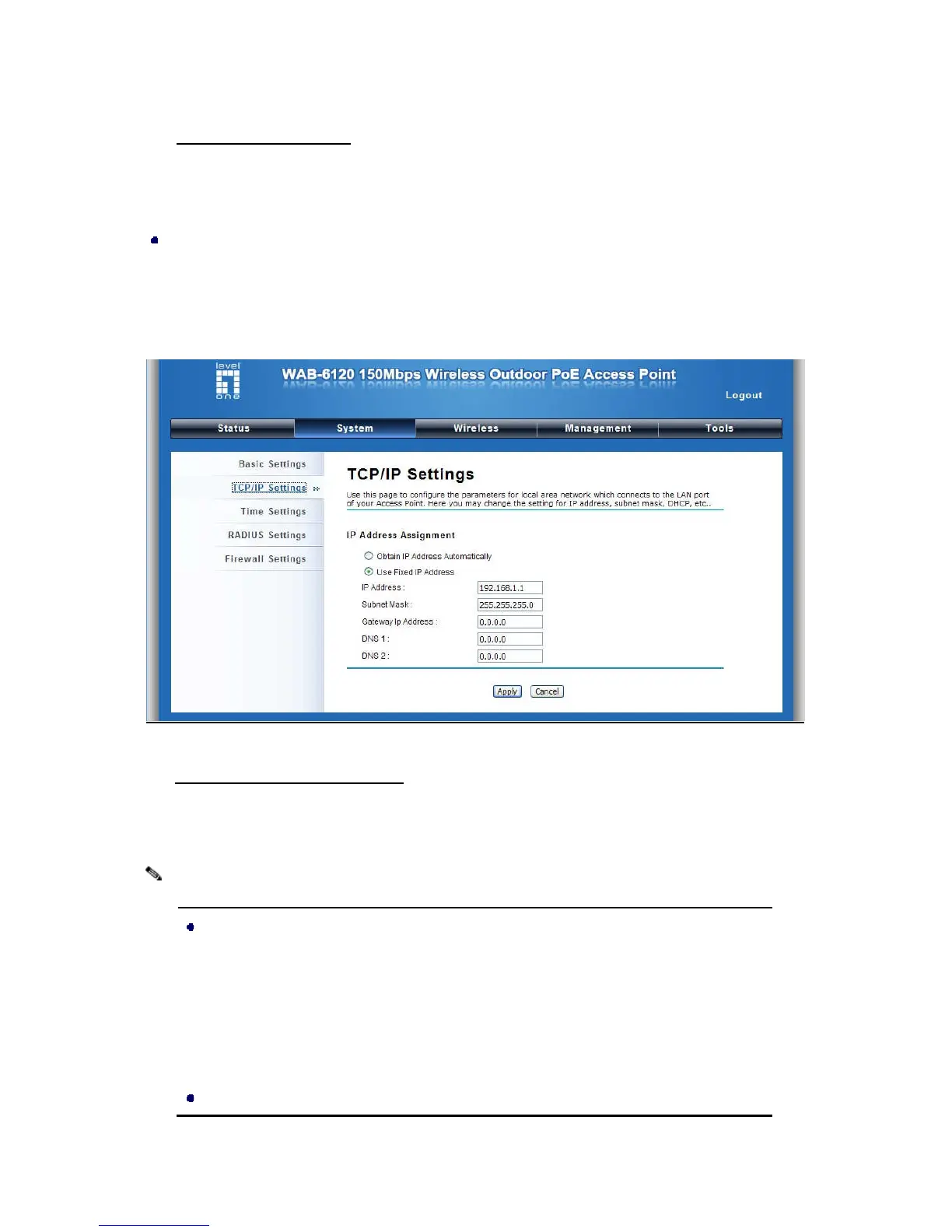
TCP/IP Settings
Open “TCP/IP Settings” in “System” as below to configure the parameters for LAN which
connects to the LAN port of the CPE. In this page, users may change the settings for IP Address,
Subnet Mask, and DHCP Server.
Figure 15 IP Settings (Bridge)
Obtain IP Address Automatically: If a DHCP server exists in your network, you can check this
option, thus the LEVELONE 150MBPS WIRELESS POE AP is able to obtain IP settings
automatically from that DHCP server.
When the IP address of the CPE is changed,
running the “nbtstat –r” command before using the device name of the CPE to access its
Web Management page.
In case the LEVELONE 150MBPS WIRELESS POE AP















 To Next Page