Chapter 4 Advanced Settings Page 32
Chapter 4 Advanced Settings
Advanced Wireless Settings
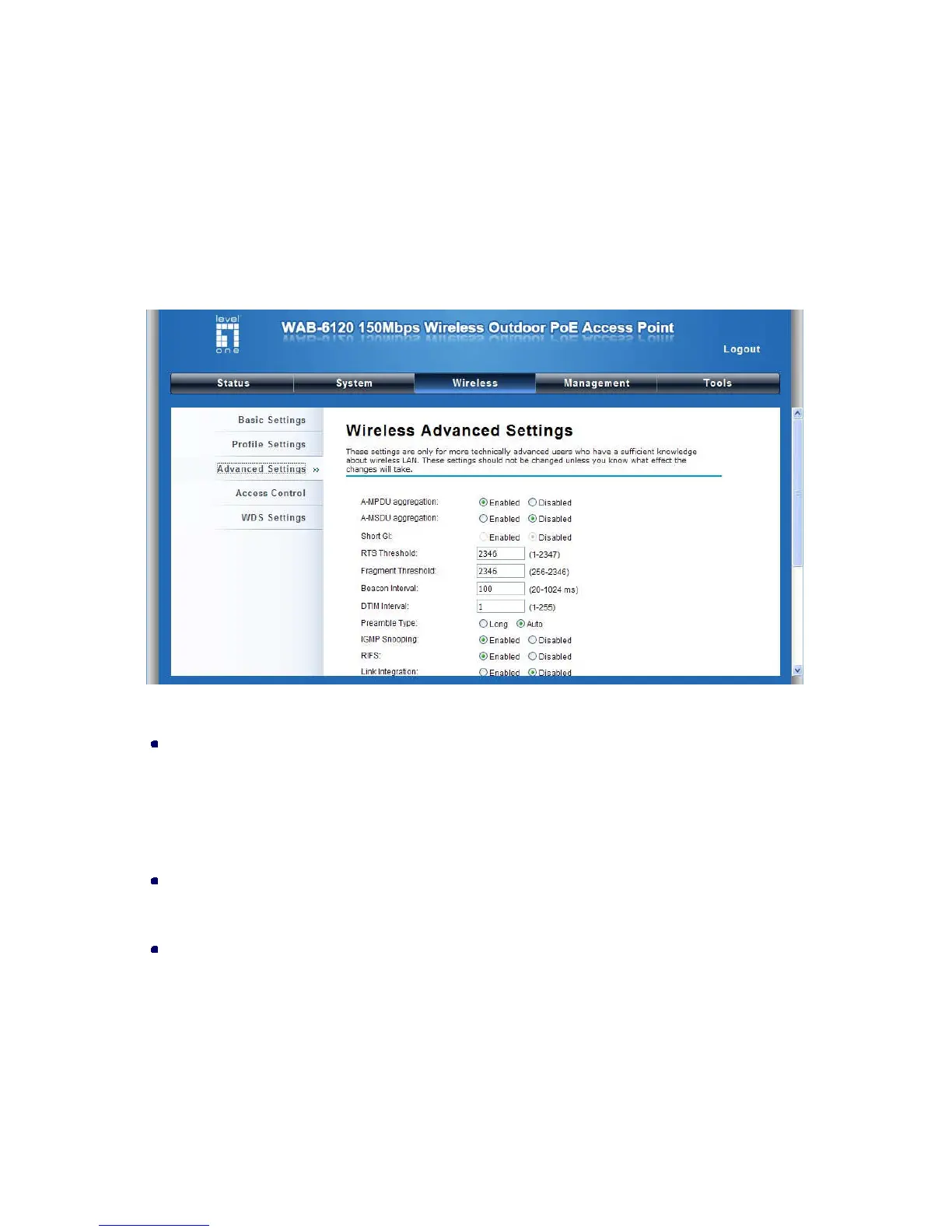
Open “Advanced Settings” in “Wireless” to make advanced wireless settings.
Figure 30 Advanced Wireless Settings
A-MPDU/A-MSDU Aggregation
The data rate of your AP except wireless client mode could be enhanced greatly with this option
enabled; however, if your wireless clients don’t support A-MPDU/A-MSDU aggregation, it is not
recommended to enable it.
Short GI
Under 802.11n mode, enable it to obtain better data rate if there is no negative compatibility issue.
RTS Threshold
The LEVELONE 150MBPS WIRELESS POE AP sends RTS (Request to Send) frames to certain
receiving station and negotiates the sending of a data frame. After receiving an RTS, that STA
responds with a CTS (Clear to Send) frame to acknowledge the right to start transmission. The
setting range is 0 to 2346 in byte. Setting it too low may result in poor network performance.
Leave it at its default of 2346 is recommended.















 To Next Page