Repair information 4-207
7510
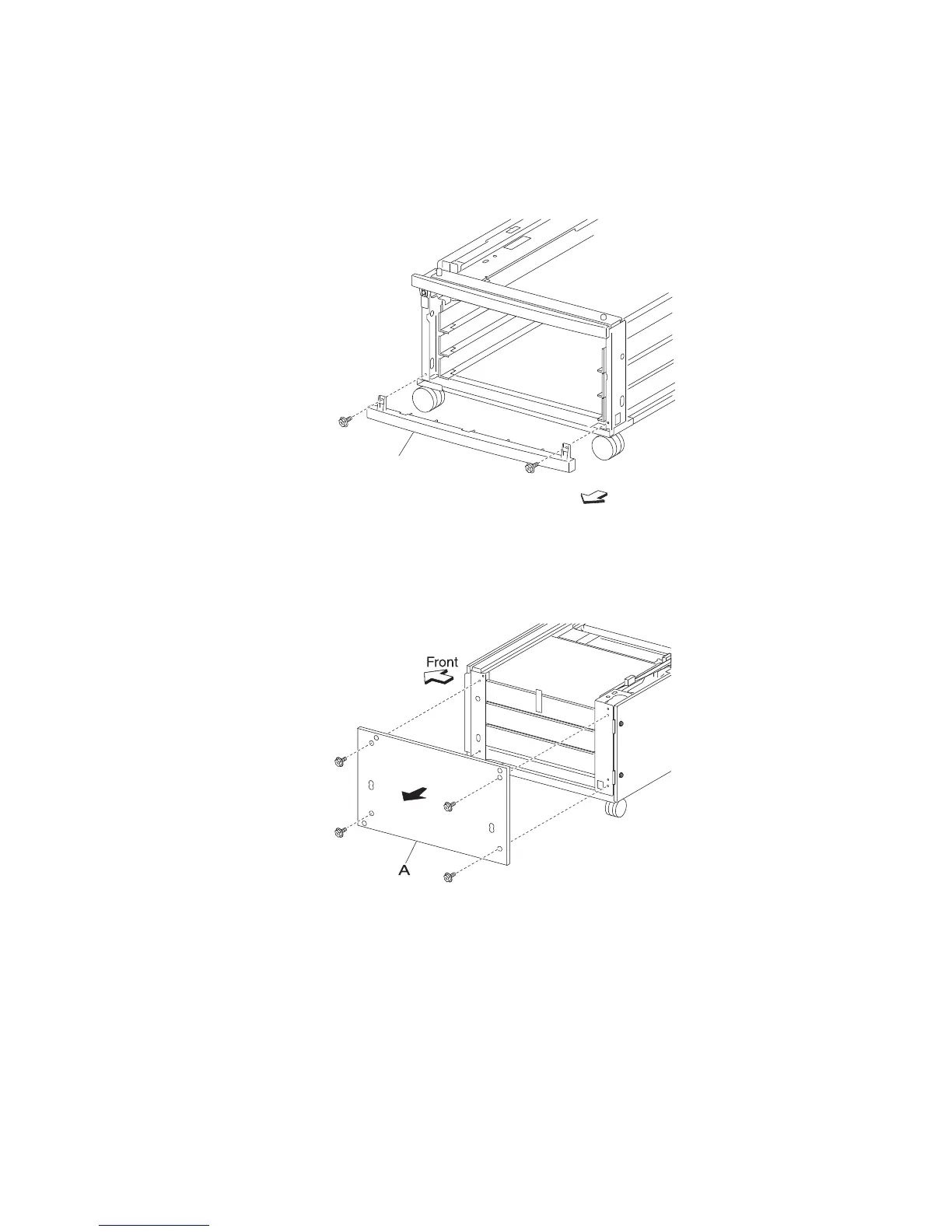
3X 500-sheet drawer (3TM)—foot cover removal
1. Remove the media tray 4 assembly.
2. Remove the two screws securing the foot cover (A) to the machine.
3. Remove the foot cover (A).
3X 500-sheet drawer (3TM)—right cover removal
1. Remove the four screws securing the right cover (A).
2. Remove the right cover (A) by lifting up and out in the direction of the arrow.







 To Next Page