Lexmark C925/X925 Color Product Study Guide Rev 2.3
For Training Purposes Only 6/21/2011
16
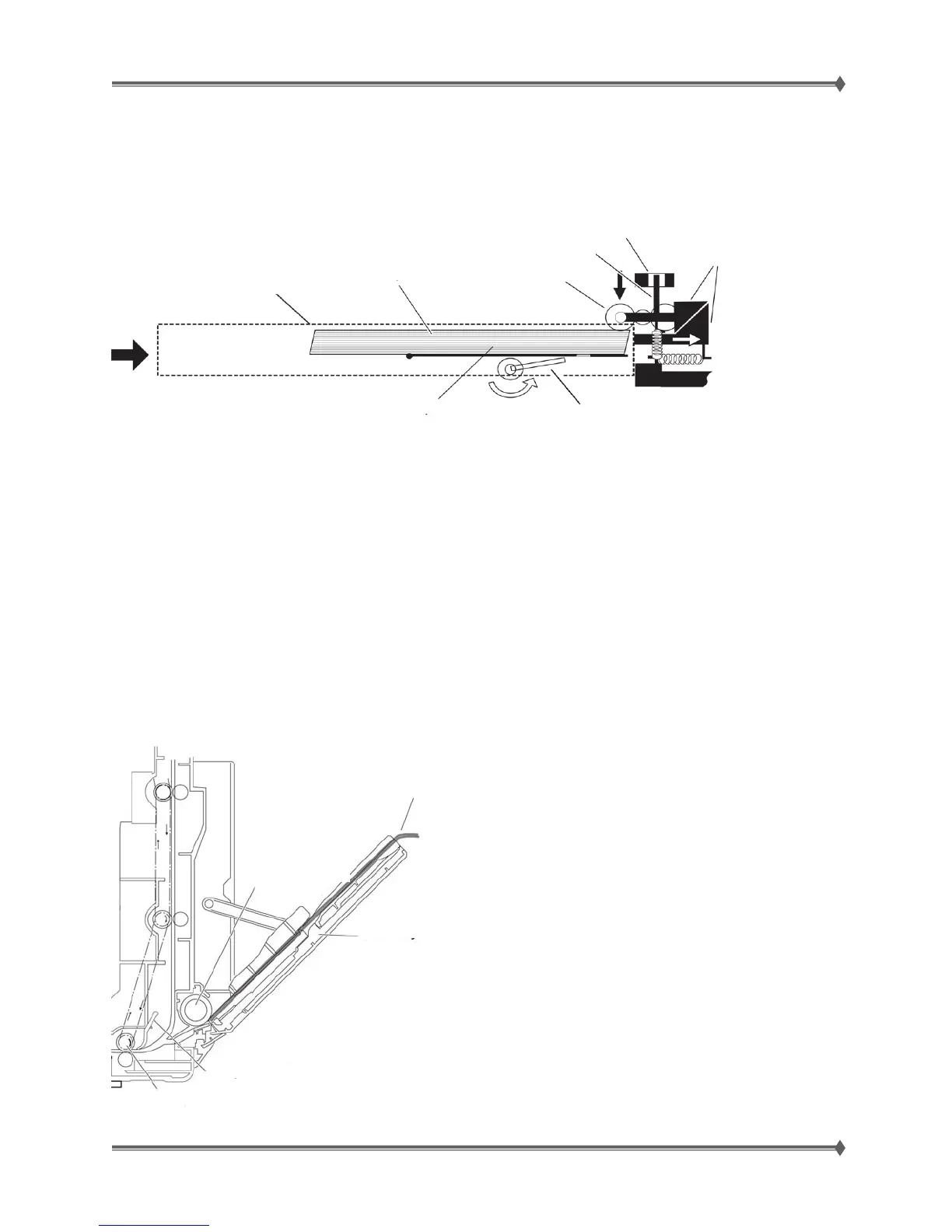
Optional Paper Trays (3-5)
Trays 3 through Tray 5 use a motorized lift mechanism to engage the media in the tray with the pick roll
and can hold up to 500 sheets of 20lb paper.
Trays 3-5 do have automatic size sensing and automatically tell the printer the paper size based on the
position of the tray guides in the drawer.
The sensor that detects the paper size is sensitive, so positioning the Tray Guide 1 or 2 notches out of
position could result in an incorrect paper size reading. If any Paper Jams, 34 Short paper messages or
other paper feed problems occur, check the paper size in the tray against the size the printer thinks is
loaded (you can view the paper size in the Paper Menu).
Multipurpose Feeder
The MFP holds about 50 sheets of 20lb paper and does not have automatic size sensing; the size must
be set within the Paper Menu. A paper present sensor (not shown below) detects paper once it is
loaded in the Tray. The sensor is located next to the Paper Feed Roller.
Bottom Plate
Paper Cassette Installation
Push-up plate connected to
the paper tray lift motor
Pick Roll push-up
mechanism
Upper Limit
Sensor
Li
ht Shield Plate
Pick Roll
Pa
er
Optional Paper Cassette
Paper
MFP Tra
Du
lex Exit/MFP Sensor Actuator
Du
lex Exit Roller
Paper Feed roller
(MPF feed clutch)



 To Next Page