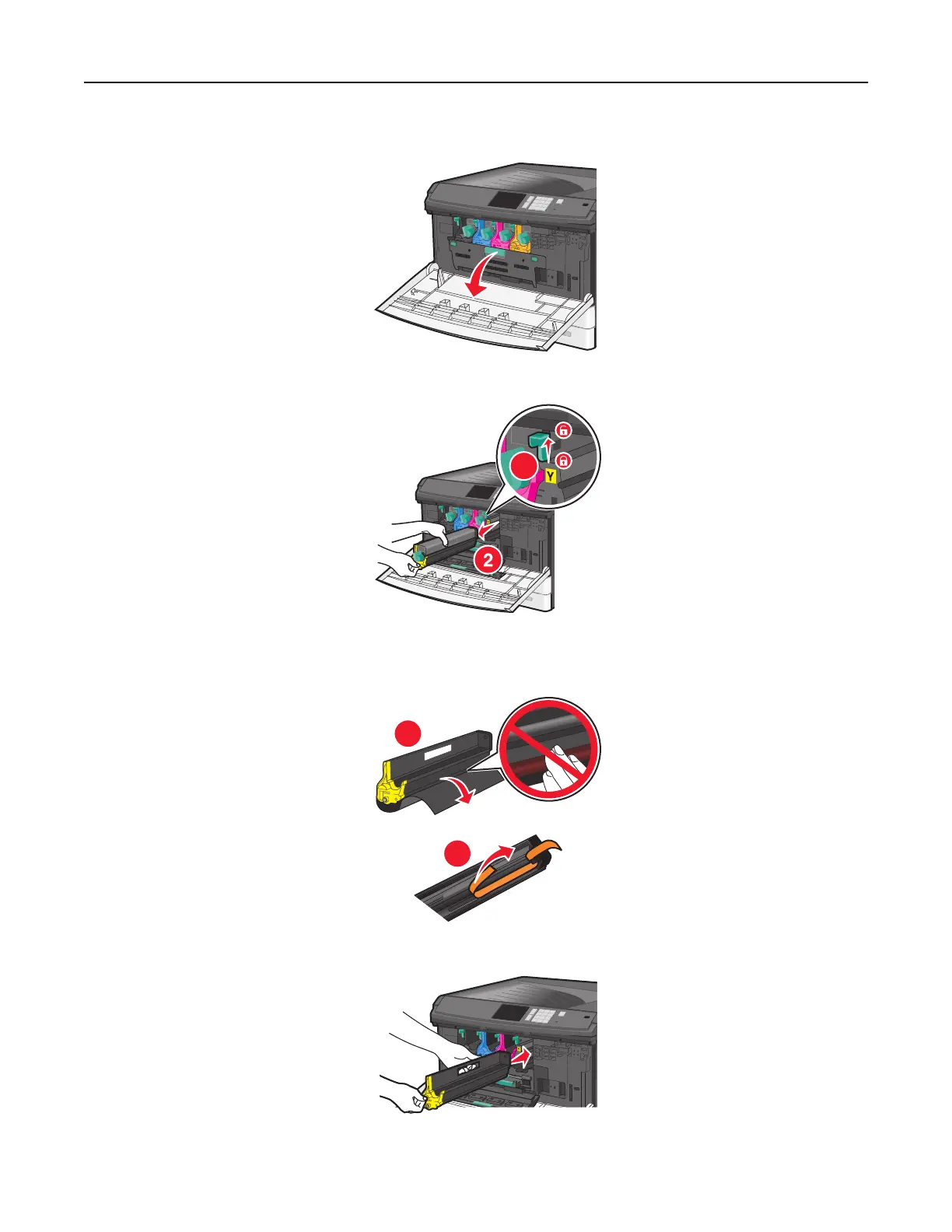
2 Open the internal cover.
3 Push the imaging unit lock lever up and pull out the imaging unit with the toner cartridge attached to it.
1
4 Unpack the replacement imaging unit.
5 Peel off the black protective sheet and the toner sealing tape.
2
1
6 Insert the imaging unit into the printer until it clicks it into place.
Maintaining the printer 147



 To Next Page