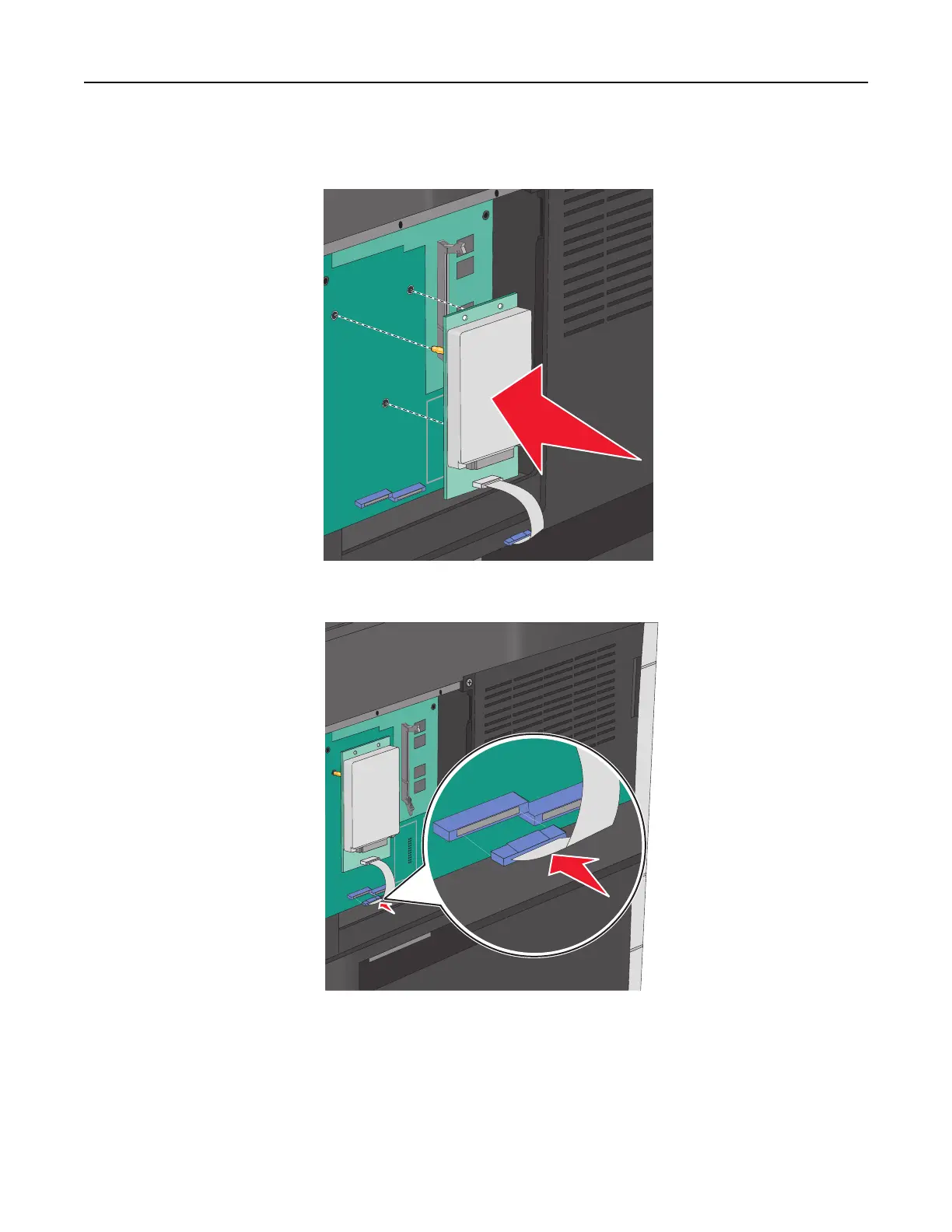
4 Align the standoffs of the printer hard disk to the holes on the system board, and then press on the printer hard
disk until the standoffs are in place.
5 Insert the plug of the printer hard disk interface cable into the receptacle of the system board.
6 Reattach the system board cover.
Removing the printer hard disk
Note: This task requires a flathead screwdriver.
Additional printer setup 34



 To Next Page