EasyManua.ls Logo

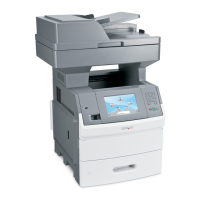
Lexmark X644E - User Manual

Lexmark X644E
312 pages
Print Icon
To Next Page IconTo Next Page
Loading...
1Getting Started: SCS/TNe in a LAN environment
Card for IPDS and SCS/TNe -
SCS/TNe Emulation Users Guide
Getting Started
SCS/TNe in a
LAN
environment
Thank you for purchasing the Card for IPDS and SCS/TNe.
The card provides high quality IBM host connectivity print output.
With the appropriate print server and host software, your printer or
Multifunction Product (MFP) becomes an IBM host workstation
printer capable of printing IPDS or SCS documents from an iSeries,
AS/400, or mainframe. For a more detailed product description, see
“Specifications, Requirements, Features” on page 275.
IMPORTANT: Unless otherwise stated, the term
printer in this manual refers to both printers and
MFPs.
SCS data is received in a LAN environment using the Telnet
extended protocol. The Card for IPDS and SCS/TNe adds support
for the TN3270E and the TN5250E protocols. A correctly configured
printer can receive, process, and print SCS print jobs received over
TCP/IP.
Documentation
Overview
This document deals only with setting up and using the SCS/TNe
emulation in the Card for IPDS and SCS/TNe. It will help you to
understand, use, and change option settings for receiving SNA

Table of Contents

Other manuals for Lexmark X644E

Questions and Answers

  • L
    Lisa SheaSep 13, 2025
    How to improve image quality on Lexmark All in One Printer fax?
    • D
      Donald MarksSep 13, 2025
      To improve the image quality of faxes sent from your Lexmark All in One Printer, touch Options, then under Content, change the setting to Text/Photo or Photo. Increase the output resolution. Note that this will increase the scan time and improve output quality.
  • H
    Heather RichardsonSep 12, 2025
    Why Lexmark All in One Printer fax document takes a long time to transmit?
    • J
      juliacampbellSep 13, 2025
      If your Lexmark All in One Printer fax document takes a long time to transmit, touch Options, then under Content, change the setting to Text, and then set the resolution to Standard.
  • A
    Austin McguireSep 12, 2025
    How to fix light or disappearing black text on Lexmark All in One Printer?
    • T
      tracythompsonSep 12, 2025
      If black text is too light or disappearing on your Lexmark All in One Printer, try these solutions: * Change the content mode to 'Text' under Copy Æ Options Æ Content. * Adjust the Darkness setting under the Copy menu. Touch the right arrow to increase the darkness setting.
  • K
    Kathleen LaraSep 12, 2025
    Why Lexmark All in One Printer unexpected page breaks occur?
    • L
      Lisa SimpsonSep 12, 2025
      If unexpected page breaks occur with your Lexmark All in One Printer, the job might have timed out. Set Print Timeout to a higher value from the Setup Menu.
  • R
    Rebecca CraigSep 9, 2025
    How to fix unwanted patterns when copying with Lexmark All in One Printer?
    • B
      Brendan McfarlandSep 9, 2025
      To resolve unwanted patterns (Moire) when copying a document in Photograph mode on your Lexmark All in One Printer, change the content mode to 'Printed Image' under Copy Æ Options Æ Content.
  • S
    Sheri WilsonSep 8, 2025
    Why Lexmark All in One Printer large jobs do not collate?
    • M
      Melinda RobersonSep 9, 2025
      If large jobs do not collate on your Lexmark All in One Printer, 'Collate' might not be set to 'On'. Set Collation to On in the Finishing Menu or through the printer driver. Note that setting Collation to Off in the driver overrides the setting in the Finishing Menu.
  • J
    Jill CarlsonAug 25, 2025
    Why does my Lexmark All in One Printer paper frequently jam?
    • T
      teresa94Aug 25, 2025
      Frequent paper jams in your Lexmark All in One Printer can occur due to several reasons: * The paper you are using might not meet the printer's specifications. Use recommended paper and specialty media. * You may have loaded too much paper or too many envelopes. Ensure the stack of paper does not exceed the maximum stack height indicated in the tray or on the multipurpose feeder. * The guides in the selected tray might not be set correctly for the paper size loaded. Move the guides in the tray to the correct position. * The paper could have absorbed moisture due to high humidity. Load paper from a fresh package and store paper in its original wrapper until you load it. * The pick rolls may be worn and need replacement.
  • H
    Hannah BaxterSep 6, 2025
    Why Lexmark All in One Printer blank pages feed into the output bin?
    • R
      Russell HendricksSep 7, 2025
      If blank pages are feeding into the output bin of your Lexmark All in One Printer, an incorrect media type is loaded in the tray being printed from. Load the correct type media for your print job, or change the Paper Type to match the type of media loaded.
  • L
    Lisa WhiteSep 5, 2025
    Why does Lexmark All in One Printer print incorrect characters?
    • M
      Michelle LeonardSep 6, 2025
      Incorrect characters printing on your Lexmark All in One Printer can be caused by: * Using an incompatible parallel cable. If using a parallel interface, ensure you are using an IEEE 1284-compliant parallel cable. Lexmark part number 1329605 (10 ft) or 1427498 (20 ft) is recommended for the standard parallel port. * The printer being in Hex Trace mode. If 'Ready Hex' appears on the display, you must exit Hex Trace mode before printing. Turn the printer off, wait 10 seconds, and then turn it back on.
  • F
    fblankenshipSep 4, 2025
    Why Lexmark All in One Printer prints from the wrong tray?
    • D
      Deborah PriceSep 4, 2025
      If your Lexmark All in One Printer prints from the wrong tray or on the wrong paper, the control panel menu settings may not match the media loaded in the tray. Make sure the Paper Size and Paper Type specified in the printer driver match the paper size and type in the tray.

Lexmark X644E Specifications

General IconGeneral
Print TechnologyLaser
FunctionalityPrint, Copy, Scan, Fax
Print Resolution1200 x 1200 dpi
Max Copying Resolution600 x 600 dpi
Grayscale Half-Tones256
Max Scanning Resolution600 x 600 dpi
PC ConnectionUSB, Ethernet
Fax Modem Speed33.6 Kbps
Fax Resolution300 x 300 dpi
Maximum Paper SizeLegal
Duplex PrintingYes
Operating Systems SupportedWindows, Mac OS, Linux
Monthly Duty Cycle (max)200000 pages
Media TypeEnvelopes, Labels, Plain Paper, Transparencies
First Page Out Time6.5 seconds
Network ConnectivityEthernet
ConnectivityUSB, Ethernet

Related product manuals