EasyManua.ls Logo

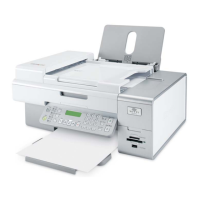
Lexmark X6570 - User Manual

Lexmark X6570
217 pages
Print Icon
To Next Page IconTo Next Page
Loading...
Lexmark 6500 Series All-In-One
User Guide
May 2007 www.lexmark.com

Table of Contents

Questions and Answers

  • B
    Brendan StewartAug 10, 2025
    What to do if software does not install for Lexmark All in One Printer?
    • J
      Jessica CraigAug 10, 2025
      If the software does not install, check your operating system and USB connection. Also, try reconnecting the power supply, or uninstalling and then reinstalling the software.
  • M
    Margaret SmithAug 17, 2025
    How to change the language on Lexmark All in One Printer?
    • S
      Stephen WhiteAug 17, 2025
      To correct the language displayed on your Lexmark All in One Printer, change the language selection during the initial setup or select a different language after the initial setup.
  • A
    Anthony JonesAug 23, 2025
    What to do if power button is not lit on Lexmark X6570?
    • J
      John MitchellAug 23, 2025
      If the power button is not lit, try pressing it. If that doesn't work, disconnect and then reconnect the power cord.
  • M
    Mr. Jerry HeathAug 29, 2025
    What to do if Lexmark X6570 All in One Printer does not appear in the Printer Selection dialog?
    • J
      John JohnsonAug 29, 2025
      If the printer does not appear in the Printer Selection dialog, check if the printer is connected to a wireless network or to the computer using a USB cable. Also, check if there is more than one network printer displayed.
  • S
    Stephen TurnerSep 4, 2025
    What to do if cable is not connected, is loose, or is damaged on Lexmark All in One Printer?
    • J
      Jay FrySep 4, 2025
      If the cable is not connected, loose, or damaged, make sure the USB cable is connected to the USB port on the back of the computer and to the back of the printer. Also, make sure the cable is not damaged or loose.

Lexmark X6570 Specifications

General IconGeneral
BrandLexmark
ModelX6570
CategoryAll in One Printer
LanguageEnglish

Related product manuals