11
Intuitive Parking Assist (If Equipped)
Owners of models equipped with a navigation system should refer to the “Navigation System
Owner's Manual”.
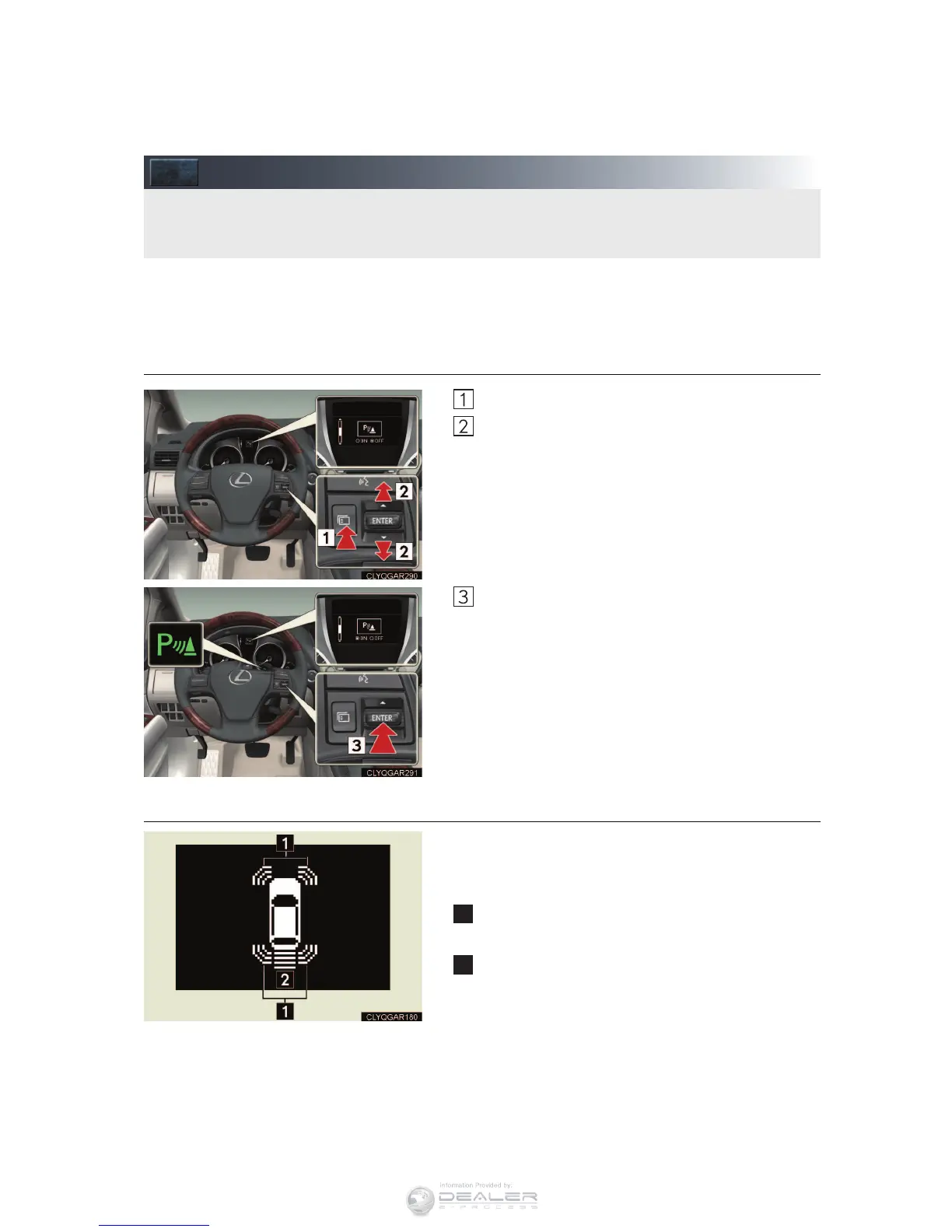
n Turning the system on and off
Press the menu switch
Press the “ENTER” switch upwards or down-
wards until the Intuitive parking assist-sensor
mark appears in the multi-information display.
Press the “ENTER” switch to select on/off.
Press the menu switch to change to the normal
display.
n Screen display
Sensors are used to detect obstacles near the
vehicle. The distance to a detected obstacle is
shown by the number of indicator bars.
Indicates obstacles detected by the corner
sensors
Indicates obstacles detected by the back sen-
sors
The system uses a screen display and buzzer to inform the driver of obstacles near the
vehicle when parking or driving at low speed.



 To Next Page