325
3-2. Using the audio system
3
Interior features
Operating a USB memory
∗
Connecting a USB memory enables you to enjoy music from the vehicle
speakers.
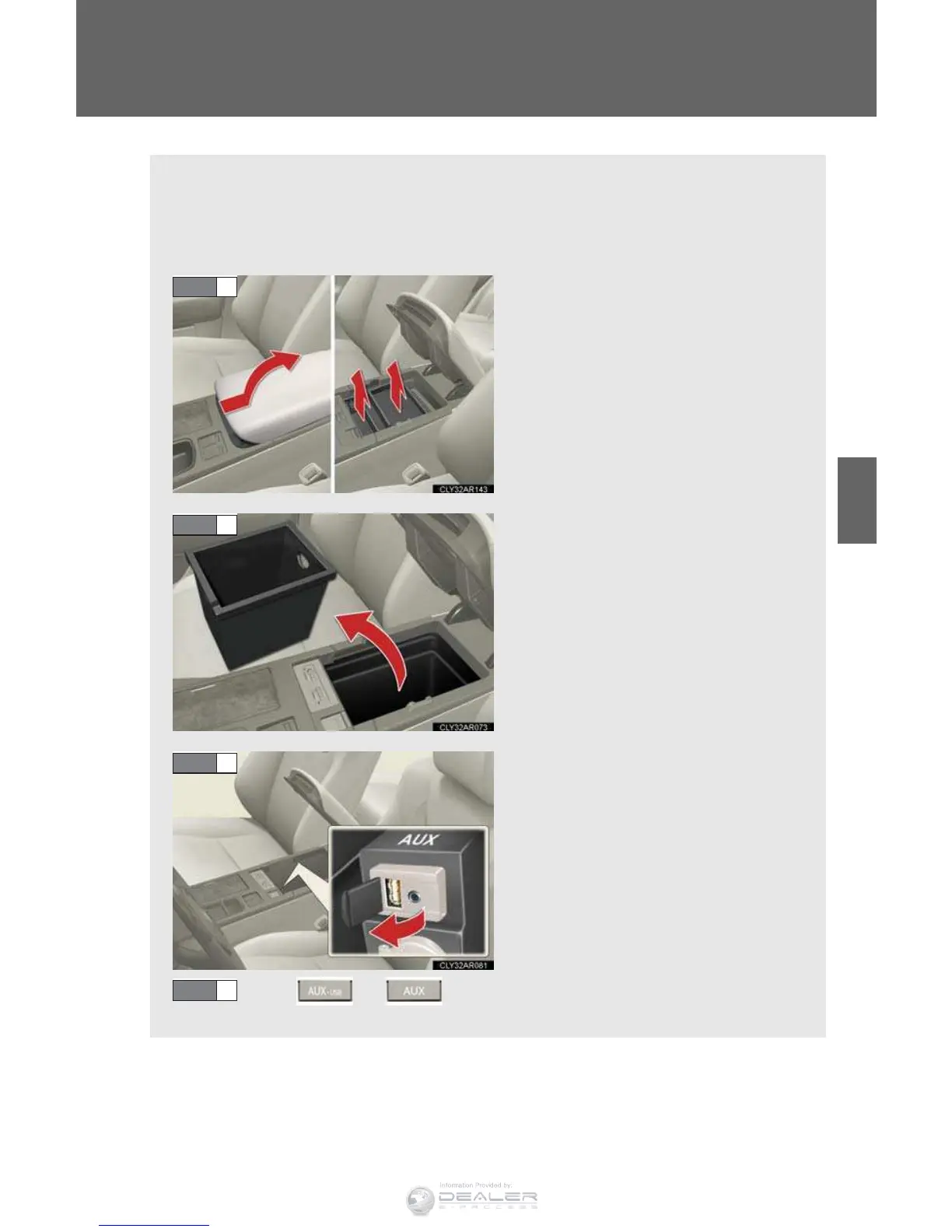
n Connecting a USB memory
Slide the armrest while pulling
up the lever, and lift the armrest.
Remove the upper trays (if
equipped).
Remove the lower tray.
Open the cover and connect a
USB memory.
Turn on the power of the USB
memory if it is not turned on.
Press or .
STEP 1
STEP 2
STEP 3
STEP 4
∗: I
f equipped



 To Next Page