32
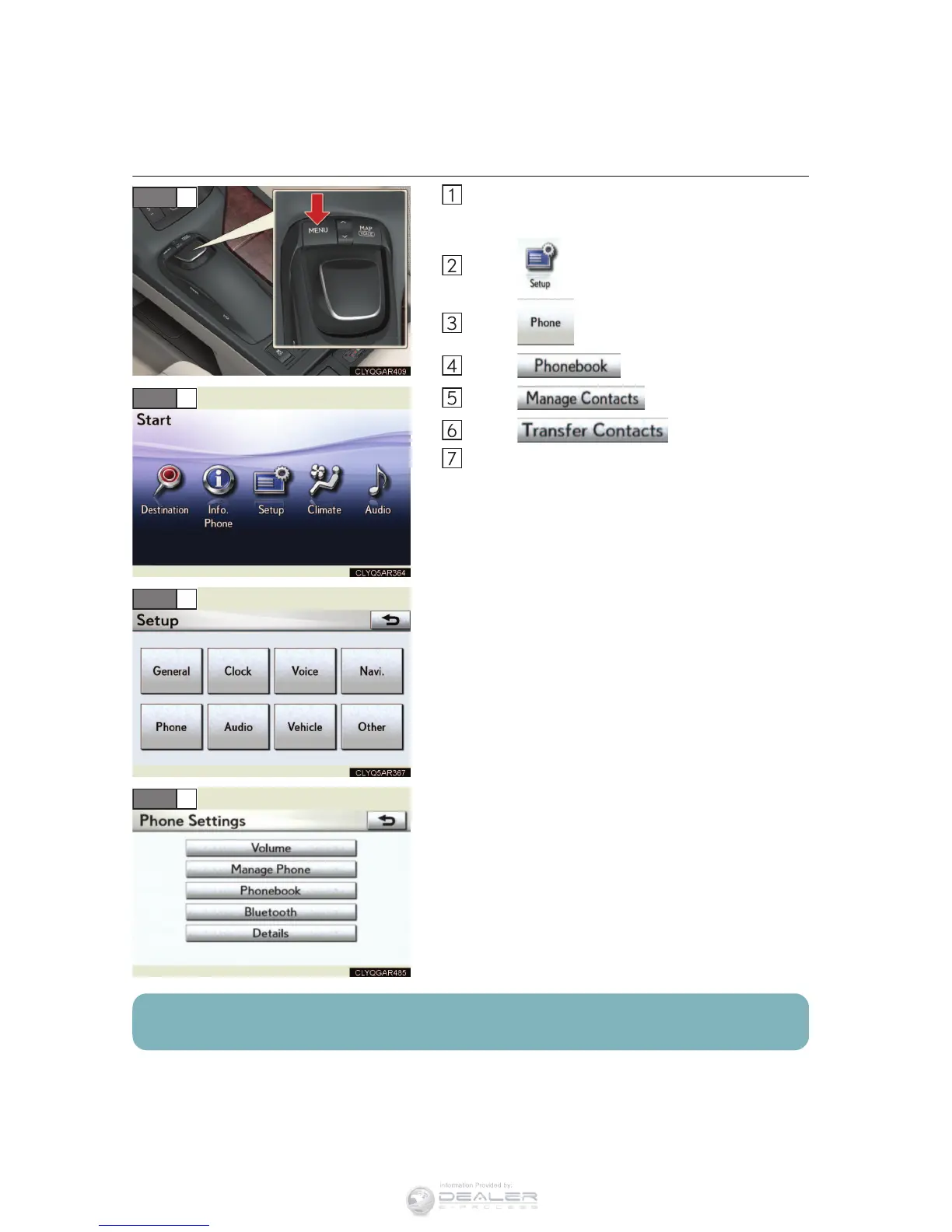
n Phonebook transfer
Press the “MENU” button.
The “Start” screen will be displayed.
Select .
Select .
Select .
Select .
Select .
Transfer the phonebook data to the system
using the cellular phone.
Refer to the cellular phone user’s manual for
cellular phone operation.
STEP 1
STEP 2
STEP 3
STEP 4
Phonebook transfer may not be possible depending on phone model.



 To Next Page