16
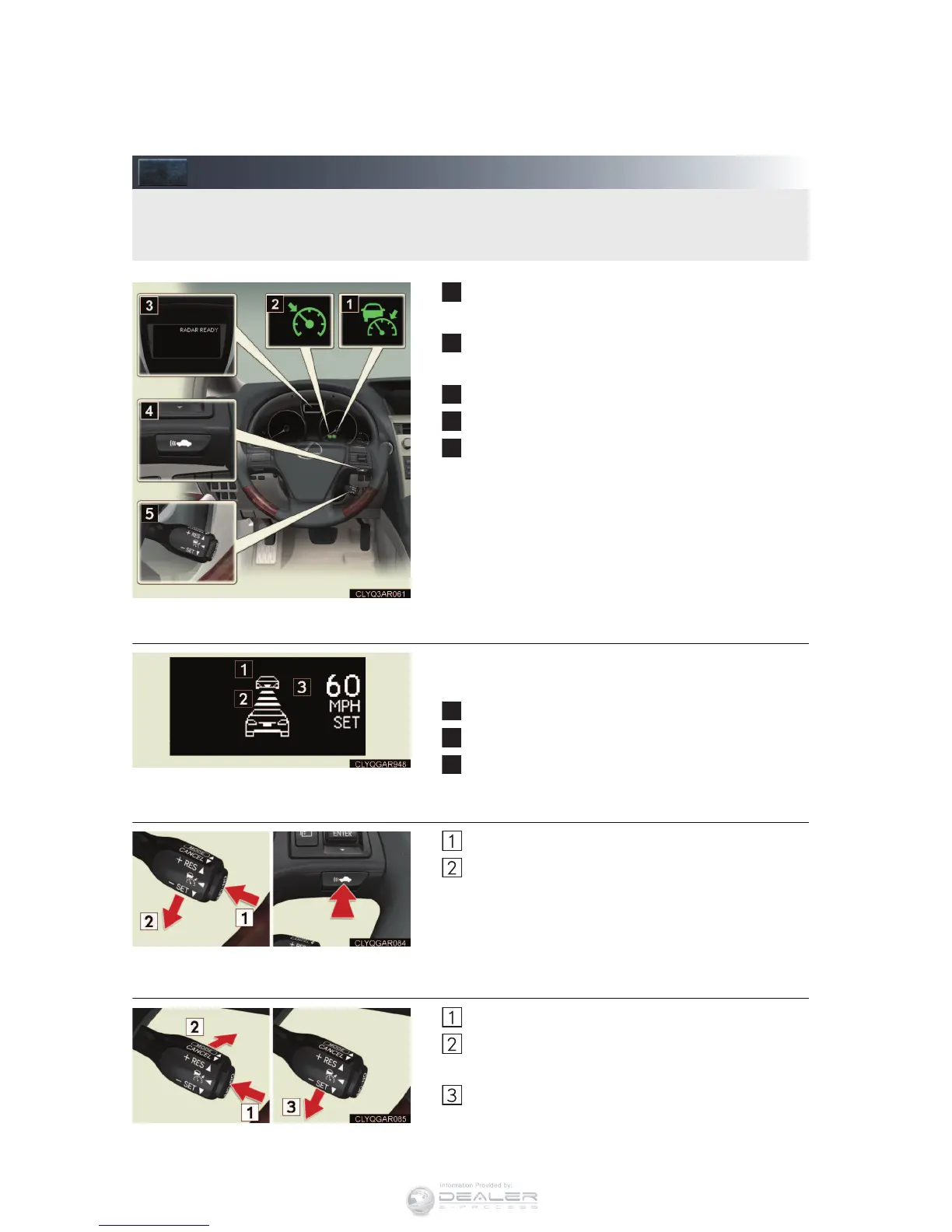
Dynamic Radar Cruise Control (If Equipped)
Indicator (vehicle-to-vehicle distance control
mode)
Indicator (constant vehicle speed control
mode)
Display
Distance switch
Cruise control switch
n Cruise control display
Cruise control settings are shown on the multi-
information display.
Vehicle ahead indicator
Vehicle-to-vehicle distance
Preset speed
n Vehicle-to-vehicle distance control mode
Press the “ON-OFF” button.
Accelerate or decelerate to the desired
speed, and then push the lever down.
Vehicle-to-vehicle distance can be adjusted using
the distance switch.
n Constant speed control mode
Press the “ON-OFF” button.
Push the lever forward and hold for at least
one second.
Accelerate or decelerate to the desired
speed, and then push the lever down.
Dynamic radar cruise control supplements conventional cruise control with a vehicle-to-
vehicle distance control mode.



 To Next Page