234
4-5. Using the driving support systems
LS500h_OM_OM50F42U_(U)
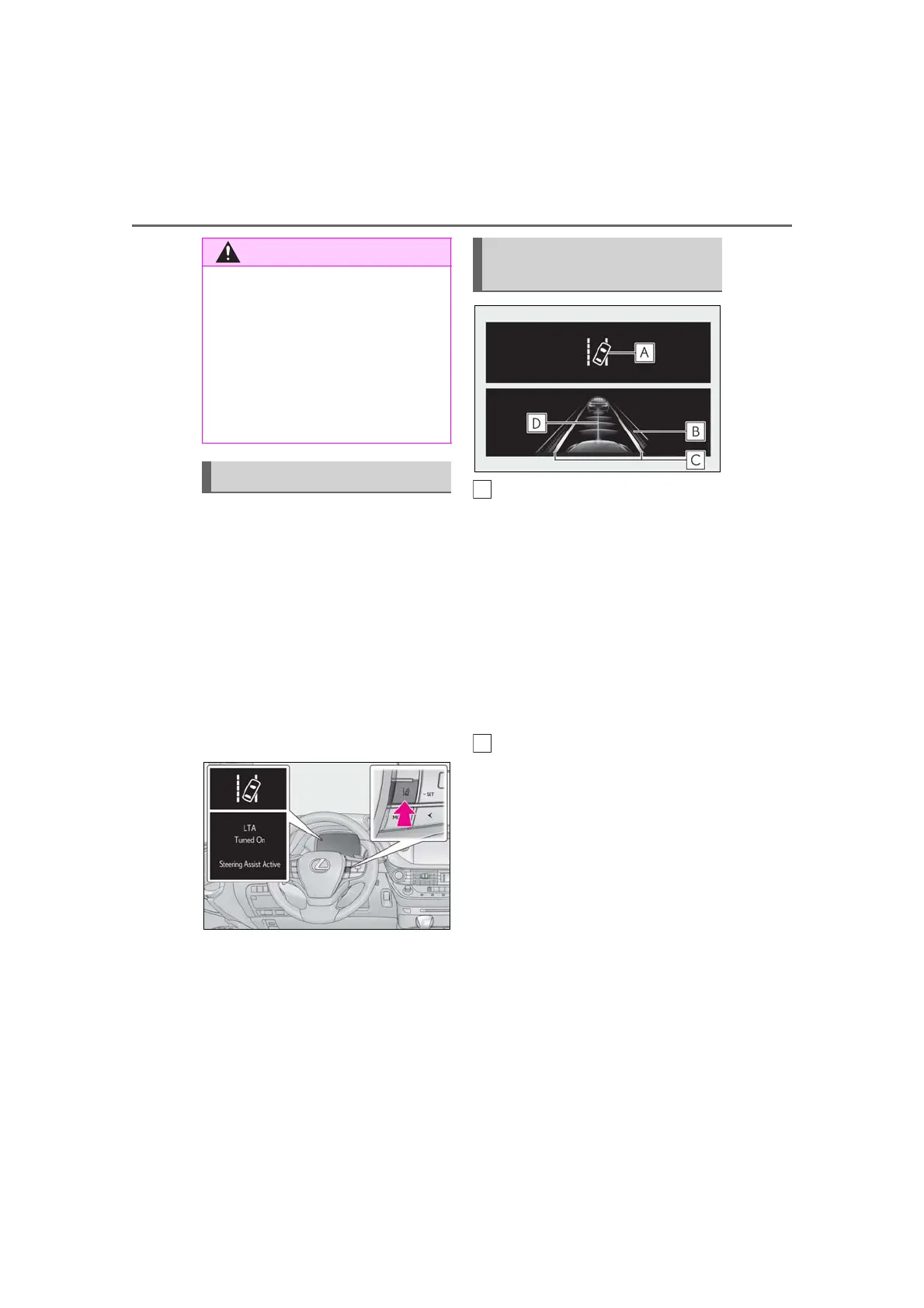
Press the LTA switch to turn the LTA
system on.
The LTA indicator illuminates and a
message is displayed on the
multi-information display.
Press the LTA switch again to turn the
LTA system off.
When the LTA system is turned on or
off, operation of the LTA system contin-
ues in the same condition the next time
the hybrid system is started.
LTA indicator
The illumination condition of the indicator
informs the driver of the system operation
status.
Illuminated in white:
LTA system is operating.
Illuminated in green:
Steering wheel assistance of the steering
assist function or lane centering function is
operating.
Flashing in orange:
Lane departure alert function is operating.
Operation display of steering
wheel operation support
Indicates that steering wheel assistance of
the steering assist function or lane center-
ing function is operating.
Displayed on the outer side of both lane
displays:
Indicates that steering wheel assist of the
lane centering function is operating.
Displayed on the outer side of a lane dis-
play:
Indicates that steering wheel assist of the
steering assist function is operating.
Display flashing on the outer side of both
lane displays:
Alerts the driver that their input is neces-
sary to stay in the center of the lane (lane
● Do not modify the suspension etc. If
the suspension etc. needs to be
replaced, contact your Lexus dealer.
● Do not install or place anything on the
hood or grille. Also, do not install a
grille guard (bull bars, kangaroo bar,
etc.).
● If your windshield needs repairs, con-
tact your Lexus dealer.
Turning LTA system on
Indications on multi-information
display



 To Next Page