318
5-1. Remote Touch/Display
LS500h_OM_OM50F42U_(U)
*
:If equipped
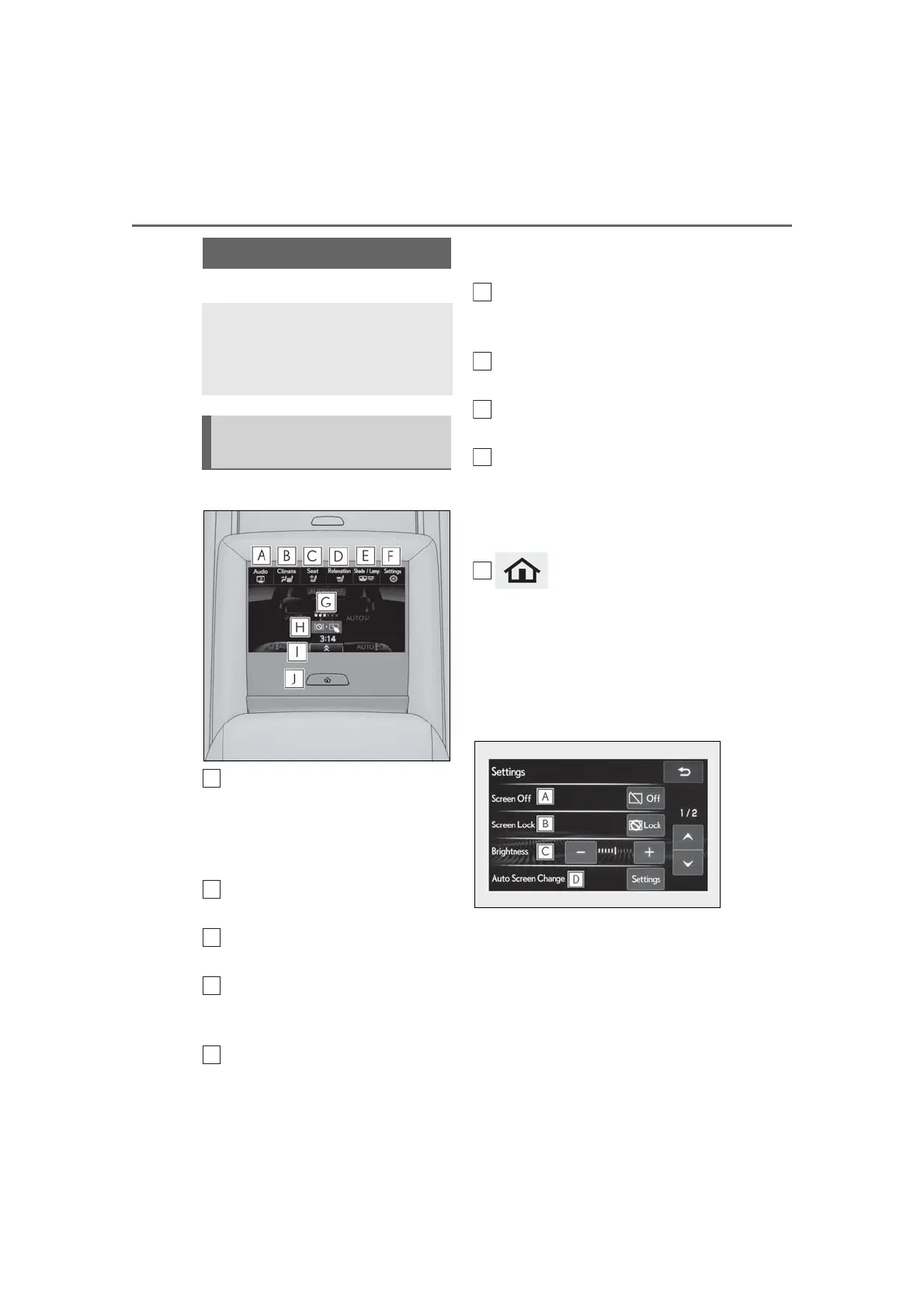
■ Home screen
Touch to display the audio control
screen.
Refer to “NAVIGATION AND
MULTIMEDIA SYSTEM
OWNER’S MANUAL”.
Touch to display the rear air condi-
tioning control screen. (→P.334)
Touch to display the rear seat
adjustment screen. (→P.136)
Touch to display the relaxation seat
(if equipped) control screen.
(→P.138)
Touch to display the rear sunshade
(if equipped)/rear interior light con-
trol screen. (→P.355)
Touch to display the Rear Multi
Operation Panel settings screen.
(→P.318)
Show the progress of unlocking the
Rear Multi Operation Panel.
Touch and hold to unlock the Rear
Multi Operation Panel.
Shortcut button
Shortcut screen is displayed. Touch to dis-
play/hide commonly used buttons for a
selected mode on the bottom portion of
the screen.
button
Press to display the home screen.
■ Rear Multi Operation Panel set-
tings screen
Screen operation settings and the
brightness of the screen can be
changed.
Rear Multi Operation Panel
*
The Rear Multi Operation Panel
built-into the rear armrest can be
used to operate the rear audio sys-
tem, air conditioning system, etc.
Rear Multi Operation Panel
overview



 To Next Page